Check HTTPS on both the short route and its destination
The short hostname and the destination can have separate HTTPS conditions. A secure connection to the short route does not certify the page it redirects to, and a working destination does not prove the branded short hostname is ready.
A branded short link opens a certificate warning, while the destination works when pasted directly. In another case the short route answers normally but sends the reader to an insecure or failing target. These are different failures at different points in the journey, even though the campaign owner sees only “the link.”
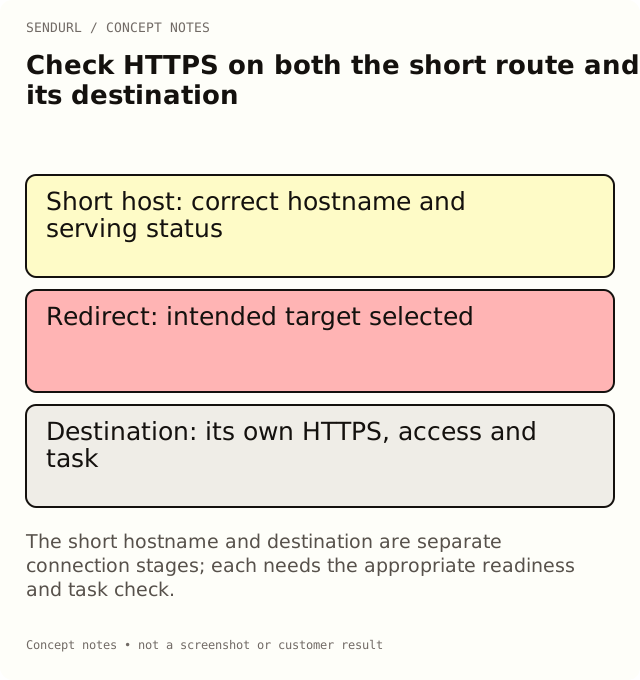
Treat the route as a sequence of requests
An HTTP redirect tells the browser to request another address. The short hostname and the target hostname are not one indivisible connection. Each relevant HTTPS address must work under its own serving configuration.
Mozilla’s Redirections in HTTP explains the response and Location-header mechanism. Its HTTPS describes the encrypted connection. Neither behavior turns a redirect into a safety certification for the destination’s content.
Identify which hostname has the problem
Record the exact distributed address and the hostname shown when the browser reports a problem. Preserve the actual route spelling and the observation time. Do not assume the destination is at fault simply because it is the final resource the campaign intended to serve.
For an illustrative go.example.org route, a failure before the redirect can concern the branded host’s setup. A problem after the browser reaches a different website belongs to that later stage. Use appropriate inspection evidence rather than bypassing a browser warning to force a successful-looking test.
A ready destination does not approve the short host
Pasting the destination directly can verify one part of the task. It does not prove that the branded hostname is configured, verified or ready to serve. Review the domain’s current product status and its routing, ownership and certificate checks.
A successful test on the default snu.to host is also a different observation from a test on a custom hostname. Keep those subjects separate in the incident record. Otherwise a support team can spend time repairing a page that the affected request never reached.
A ready short host does not approve the destination
If the short route returns its expected redirect, follow the intended public journey and inspect the final page appropriately. Check the target’s protocol, access conditions and promised task. A successful redirect to the wrong resource is still a campaign failure.
Do not describe an HTTPS target as automatically trustworthy merely because the connection is encrypted. The page’s identity, authorization and content still need their own review. Likewise, a destination requiring login may be correct for one audience and unsuitable for a supposedly public setup guide.
Inspect every relevant maintenance layer
A custom-hostname problem may require the domain administrator or the account’s domain-support process. A destination problem may require the website owner. A copied-address problem may require correcting the printed fallback or the delivered message. Name the responsible layer before changing configuration.
Do not use domain deletion as a universal reset. Removing a domain can stop attached routes, and re-adding the hostname does not automatically reconnect its old links. Keep the existing route inventory available while investigating the actual reported check.
Avoid a misleading “fixed” observation
After a repair, repeat the exact distributed route, not just the direct destination or another link on a different host. If the original report came from a physical card, verify that card’s QR payload and readable fallback. Record the client context and the page actually reached.
A cached social preview can remain stale even after the route is corrected. Treat that as a separate presentation observation rather than immediately concluding that HTTPS or destination editing failed. A preview card and a browser navigation are not the same request path.
Distinguish the plan capability from the repair
Pro+ permits editing a saved destination. That can support a move to an approved replacement page, but it does not repair another website’s certificate or change an immutable short hostname. A paid subscription is not an override for DNS ownership or a browser security warning.
Free includes a custom-domain allowance and a snu.to subdomain allowance, subject to setup availability and verification. Compare the current plans and domain offering before committing to a branded route. Read the actual product status when the issue concerns readiness rather than assuming the allowance proves the route is active.
Close the issue with the reader’s task
The final acceptance should demonstrate that the appropriate distributed address reaches the intended resource under the tested conditions. Keep any remaining limitations explicit. A test from one device or network is not a promise that every possible client is covered.
Create maintained routes under an owned SendURL account when accountability for the short address is useful. How URL Shorteners Work explains response types, and What verifies a branded short domain separates the domain setup checks.
Frequently asked questions
Does HTTPS on the short URL certify the destination?
No. The later request and the page’s content need their own review.
Why does the destination work directly while the branded route fails?
They are different request stages. Check the exact short hostname’s setup and status before changing the destination.
Should I bypass a browser warning to complete the test?
No. Preserve the warning context and resolve the relevant serving or ownership problem through the responsible owner.
Will upgrading fix another website’s certificate?
No. Destination editing and domain allowances are product capabilities, not a certificate-repair service for unrelated websites.
Start tracking links free.
Create your first short link with click analytics in seconds. No credit card, no sign-up to start.