A short-link incident record that helps reproduce the failure
Capture the exact route, observed response and affected placement before changing anything. This record narrows a link incident without collecting unnecessary visitor data.
“The link is broken” is a useful alert but an incomplete incident report. A disabled route, an expired offer, an inaccessible destination and a scanner that cannot decode artwork require different repairs. Start with the observation that failed, not a guess about which system is responsible.
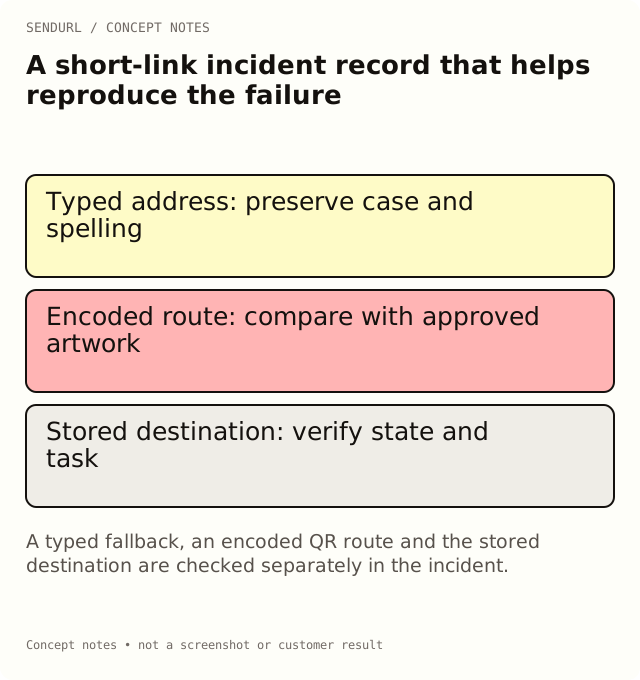
Record the smallest reproducible journey
For an illustrative support case, a customer types a URL from a card and receives a not-found page. The same card’s QR might encode a different address. Preserve both observations until you know whether the error is in the printed text, the encoded route or the saved link.
Reported placement and artwork/message version:
Exact short hostname and path:
How the route was entered: typed, tapped or scanned:
Observed time and timezone:
Device/browser context relevant to reproduction:
Observed page or HTTP status, if available:
Expected customer task:
Current link active/expiry/quota state checked by owner:
Destination access checked separately:
Change made, approving owner and retest result:
Follow the typo example
Compare the typed address character by character with the approved route. A custom slug is case-sensitive, so an apparently small case change can select a different path or no path at all. Do not silently lowercase the evidence while collecting it. If the fallback text is wrong but the encoded QR route is right, the print artwork needs correction; changing a working destination would address the wrong problem.
If the saved link is disabled, a SendURL route returns a not-found response. An expired link or one at its visit limit can return an expired response. Ask the account owner to verify that state instead of inferring it solely from a screenshot of an unfamiliar browser page.
Separate the route from the destination
Test the stored destination appropriately as a separate step. A route can redirect successfully to a page that then requires authorization or fails. Likewise, a beautiful landing page does not establish that the short address was entered correctly.
The redirect checker can help inspect supported public routes. A check makes real requests and can count in link activity. Keep the test time in the incident record, and do not enter private document tokens or customer credentials into a public tool.
Close the incident against the original placement
After a correction, repeat the actual failure path: type the printed fallback, follow the delivered button or scan the final artwork. Record the result. A successful edit in the dashboard is not the same test.
For a maintained route, Pro+ permits changing the destination; pricing lists the current feature and limits. Create an owned SendURL account when the route needs accountable maintenance rather than an unclaimed temporary address.
Status reference
How URL Shorteners Work: 301 vs 302, 404 vs 410 explains the response distinctions used during investigation.
Frequently asked questions
Should I copy full visitor logs into the incident sheet?
No. Collect the minimum route and reproduction context needed. Keep personal information and credentials out of a general incident record.
Does a 200 page prove the intended destination is correct?
No. It says a page answered. Verify the promised task and the route used to reach it.
Can I delete and recreate the saved link as a quick repair?
Do not assume that will work. Deleted links retain their slug and still count toward quota; identify the actual failure first.
Start tracking links free.
Create your first short link with click analytics in seconds. No credit card, no sign-up to start.