What verifies a branded short domain
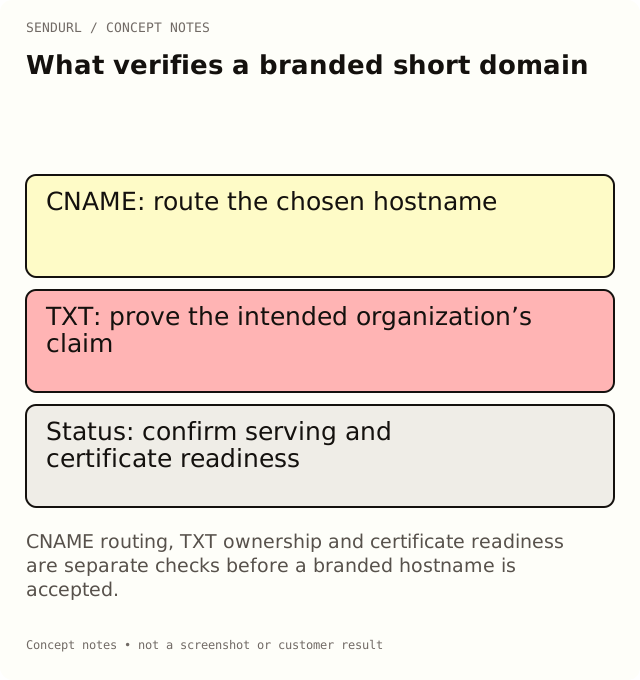
A branded short hostname needs routing, DNS ownership evidence and an active serving status. A CNAME alone does not establish that the right organization owns or can serve the requested hostname.
A DNS administrator points a hostname at the shortener and the campaign owner expects the branded link to be ready. The account still shows checks in progress. Those observations can both be accurate because routing, ownership and certificate readiness answer different questions.
Begin with the exact hostname
A custom short hostname might be go.example.org, while the main website remains elsewhere. The hostname is not just a visual label: it is part of every distributed short address and every QR payload that uses it. Choose it with the people responsible for the domain and its long-term renewal.
The example here uses a documentation placeholder, not a registered SendURL customer hostname. Use the actual organization’s setup instructions for a real domain. Do not copy another account’s verification value or assume a label in an example can prove ownership.
Routing says where requests should go
SendURL’s custom-hostname setup provides a CNAME target, ordinarily snu.to for the public service. The CNAME helps route requests for the selected hostname. It does not, on its own, establish which SendURL organization is authorized to serve that hostname.
Before changing DNS, check whether that exact hostname already serves another application. Replacing an existing service’s record can break it. Resolve the ownership and impact first rather than treating a branded campaign request as permission to overwrite the current setup.
TXT evidence establishes the intended ownership claim
The product supplies a TXT record name for the hostname, using _sendurl. before it, and an organization-specific verification value. Obtain that value from the supported account setup or support process. Publishing the correct evidence is a separate step from publishing the routing record.
The distinction protects against assuming that any hostname pointing at the service should belong to whichever account first asks for it. If another account already holds a record, follow the actual ownership or support process rather than deleting records at random. A shared worksheet should reference approved instructions, not invent a token.
Certificate and serving status are another check
The service must also have the relevant hostname and certificate state ready to serve secure requests. Published DNS alone is not a guarantee that the final branded route is active. Review the product’s status rather than interpreting a familiar browser padlock on another site as evidence for this hostname.
The current dashboard separates TXT, CNAME and certificate checks and shows when it was last checked. An authorized owner or administrator can use Verify or Check again where that flow is available. Read the reported state and retain the observation time when investigating a delay.
Respect the current setup availability
Free includes an allowance of one custom domain and one snu.to subdomain. Paid plans have their own limits. The allowance is capacity, not proof that self-serve domain setup is enabled for the account or that a particular pending hostname is active.
If the product says setup is unavailable or being rolled out, follow the supported path instead of improvising API calls or treating the missing form as a validation failure. Pricing describes the current domain offering; where the domain cannot be added immediately, support can help through the stated setup process.
Verify the result with a controlled route
After the hostname reports ready, create an appropriate demonstration link using that domain and follow the complete short address. Compare its final page with the approved destination and record the time. Do not use a successful test on the apex snu.to hostname as proof that the branded host is working.
Keep the domain owner and DNS administrator in the handover record. A link’s selected domain is immutable; changing the stored destination does not move the short address onto a different hostname. A later brand change therefore needs a distribution and continuity plan.
Be careful with root-domain assumptions
A hostname such as go.example.org and a registrable root such as example.org can have different DNS-provider requirements. Follow the product and provider’s supported instructions instead of assuming that a plain CNAME can always be installed at the root. If the provider or setup does not support the intended configuration, choose a supported hostname with the administrator.
The aim is a maintainable route, not the shortest possible ticket. Keep routing, ownership and actual service readiness in separate evidence fields, and approve the campaign only after the relevant path has been observed.
Create the SendURL organization that will own the branded links before requesting its records. The SendURL REST API reference describes the supported link and domain model; it is not permission to bypass account-level domain setup checks.
Frequently asked questions
Does a correct CNAME prove ownership?
No. Routing and organization ownership verification are separate checks. Use the product-provided TXT evidence for the intended account.
Why can DNS look correct while the route is pending?
The product also checks ownership and serving/certificate state. Read the specific status rather than assuming one DNS observation proves every step.
Does Free’s domain allowance guarantee immediate setup?
No. Capacity and setup availability are separate. Use the current product surface or its support process.
Can I move an existing link to another short hostname by editing its destination?
No. Its domain is immutable. Destination editing changes the target behind the existing route.
Start tracking links free.
Create your first short link with click analytics in seconds. No credit card, no sign-up to start.