Why a branded short domain is still waiting after a DNS change
A pending domain can reflect an unresolved routing record, ownership check or certificate state. Read the reported check before changing more DNS; an uncertain state is not a reason to delete a live domain record.
The DNS ticket is marked complete, but the branded link is not ready. The team tries toggling records, removing the domain and adding it again. That can make a narrow setup problem harder to understand, especially when old printed routes already depend on the hostname.
Start with the product’s observed state
The dashboard’s domain status separates relevant checks such as TXT ownership, CNAME routing and certificate readiness. Read which check is waiting or has a problem, together with the last-check time. A general statement that “DNS has propagated” is not the same observation.
Record the exact hostname and the account responsible for it. Similar names, a root domain and a go. subdomain are different subjects. A screenshot from the wrong account or hostname can send the investigation in the wrong direction before any DNS record is examined.
Reconcile the requested record with the published record
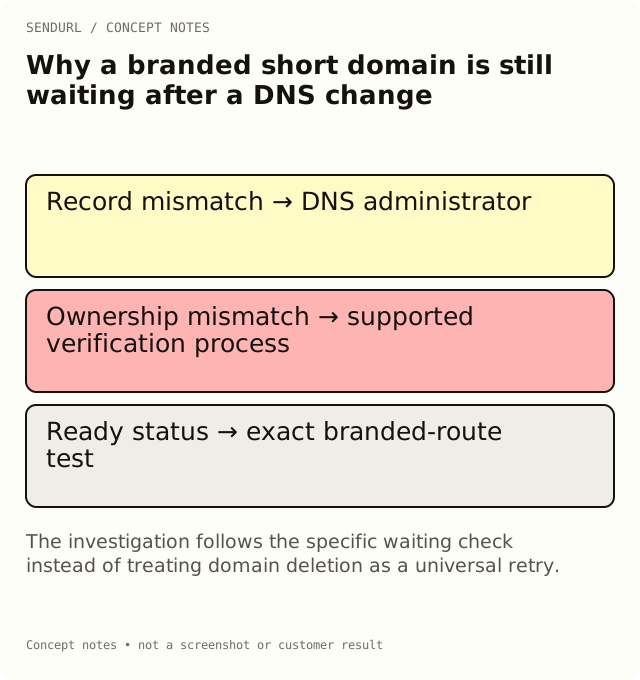
Ask the DNS administrator to compare the actual record name and value with the account’s setup instructions. Provider interfaces may display relative names or complete hostnames differently. Verify what was published rather than relying solely on a form that looked correct at the time of entry.
Check whether an old record or another application still occupies the hostname. Do not replace an active service without its owner’s approval. If the branded name conflicts with an existing use, resolve that decision before treating the shortener’s pending state as a product defect.
Ownership and routing are not interchangeable
A CNAME can route requests toward the service without proving that the intended organization is authorized to serve the hostname. The product’s TXT instruction addresses that ownership check. Copying the routing value into the TXT field or reusing a different account’s verification value does not satisfy the same purpose.
If ownership is disputed or a previous account holds a record, use the actual claim or support process. A speculative delete-and-recreate cycle can lose useful evidence without fixing the underlying ownership question. Keep the observation and the requested remedy separate.
Certificate readiness has its own state
A hostname also needs an appropriate serving and certificate status. A published record is not, by itself, proof that secure branded requests are ready. Read the status message and the relevant certificate check instead of inferring success from another hostname’s working HTTPS route.
Do not make an unverified promise about how long every setup will take. The next useful action depends on the actual reported state and the supported retry or support path. Record what was checked and when, so a second reviewer can distinguish a fresh observation from an old screenshot.
Follow the DNS-provider-specific advice actually shown
The product includes advice for supported DNS situations, including using DNS-only mode for a relevant Cloudflare CNAME setup. Follow the instructions for the actual provider and hostname. Do not apply a remembered proxy or root-domain configuration from an unrelated service.
When the current account cannot access domain setup or verification, treat that as an availability condition. Free’s one custom-domain allowance and one subdomain allowance do not make an unavailable feature surface appear. Check the current offering in pricing and use the documented support contact rather than guessing an endpoint.
Do not use deletion as a diagnostic reset
Deleting a domain can stop routes associated with it. Re-adding the hostname does not automatically attach old links to a new domain record. That makes deletion a potentially disruptive lifecycle operation, not a harmless refresh button.
If a live printed address depends on the domain, identify the accountable owner and review the impact before any destructive change. Use Verify or Check again in the supported flow when appropriate, and retain the actual response rather than assuming repeated actions are improving the state.
Close the incident with an actual branded address
When the domain reports active, follow a controlled short link on that exact hostname. Verify the intended destination and the reader’s task. A successful route on snu.to does not approve go.example.org, and a working homepage does not approve every old path.
Record the final observation beside the DNS ticket and update the handover details. The useful ending is a reproducible branded route and clear ownership, not merely a ticket marked solved.
Create the intended organization’s SendURL account before requesting organization-specific setup. For the relationship between the saved route and its target, read How URL Shorteners Work; the SendURL API reference documents the supported model.
Frequently asked questions
Should I delete the domain and add it again to make verification retry?
Do not assume that is safe. Deletion can disrupt routes, and old links are not automatically reattached to a new record.
Does an old successful DNS screenshot prove the current status?
No. Record the hostname, account and observation time, then inspect the current checks.
Can certificate readiness be inferred from a CNAME alone?
No. They are separate observations. Use the reported certificate and serving state.
What is the final acceptance test?
Follow an approved link on the exact branded hostname and verify its destination and task after the relevant status is active.
Put your short links on your own domain.
Connect a custom domain or pick a name on snu.to. Free includes one of each.