QR error correction is not a licence to cover the code
Error correction helps recover encoded data under the supported conditions; it does not establish a universally safe logo area. Keep artwork changes, the product’s plan-based mark and physical scan testing as separate decisions.
A designer hears that a QR level can tolerate damage and turns that percentage into a large central logo. The code scans on the designer’s monitor, so the artwork is approved for a small package label. That reasoning skips the actual symbol structure, encoding settings and physical proof.
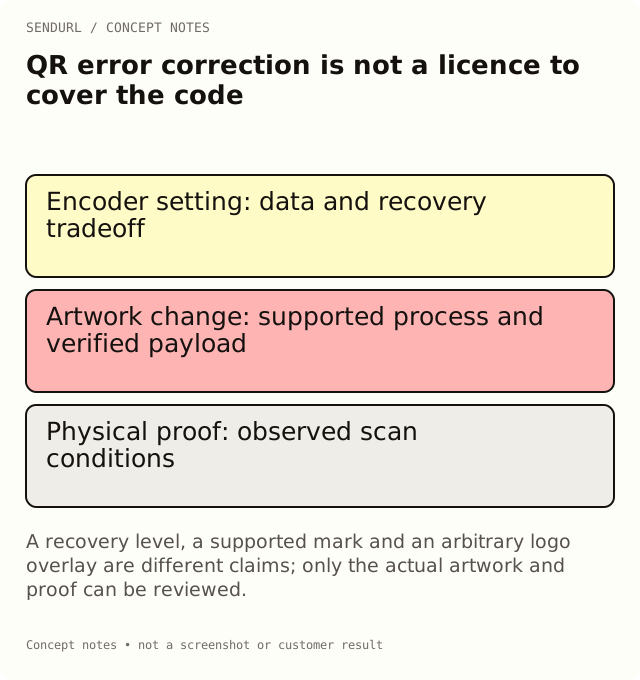
Recovery capability is not a picture-area budget
DENSO WAVE’s Error correction feature describes the tradeoff between recovery capability and data size. The level is not a promise that any arbitrary portion of the image can be removed or replaced without consequence.
Where damage occurs and what parts of the symbol remain readable matter to decoding. Treat a percentage repeated in a design brief as insufficient evidence for a specific artwork change. A large opaque overlay and scattered physical damage are not interchangeable tests merely because their visible areas look similar.
Keep the supported product rendering distinct
Free organization QR downloads carry the SendURL mark in the centre under the product’s rendering rule. That does not imply that a user can replace it with any image of the same apparent area. The supported mark and the current encoder settings are a defined product behavior, not an open-ended logo-placement guarantee.
Free also permits one styled-QR link, including the supported style choices. Pro+ removes the SendURL mark and allows styles across links. No plan adds a logo-upload control after checkout.
More recovery can require a denser symbol
For the same payload, a different error-correction setting can change the required QR version and grid. At a fixed physical width, a denser grid can mean smaller individual modules. Do not choose the setting using only a claim that “higher is always better” while ignoring print reproduction.
Keep the payload and the setting visible in a diagnostic comparison. If either changes, the old proof does not automatically approve the new object. Why a Longer URL Makes a QR Code Denser provides exact locally calculated examples, explicitly separated from scan-performance evidence.
Work through a logo-revision example
Imagine an approved care-card code and a proposed revision with a larger central brand mark. Start by identifying the actual supported artwork process and the file that will go to print. Decode the revised file and compare its payload with the approved route. A different appearance should not silently send the customer somewhere else.
Then test the physical proof at the intended size and on the intended material. Record the device and conditions observed. A successful scan from the source image verifies a narrower situation than a customer scanning a small glossy label in ordinary use.
Quiet space and contrast still need attention
Error correction does not replace appropriate surrounding space or make every foreground/background combination readable. Do not crop the border to gain room for a logo, caption or decorative frame. Inspect the final placed artwork rather than only the isolated source file.
Likewise, a brand palette can look attractive while producing an unsuitable code. Use the supported controls and proof process, and keep any color warning distinct from the final acceptance observation. A numeric contrast result alone is not a whole-object scan certification.
Do not confuse routing flexibility with artwork flexibility
A managed short route can support destination edits on Pro+ while preserving the encoded public address. That does not repaint the artwork already printed or validate a new logo overlay. The stored route, destination and visible symbol are three separate artifacts to review.
If the public hostname itself changes, the old symbol still encodes the old hostname. A new account plan or a different destination cannot change those characters on a customer’s existing card. Keep route continuity in the production decision rather than focusing only on the code’s centre.
Approve the actual production scope
The approval record should name the artwork version, payload, physical placement, proof and observed result. State which material or device conditions were tested and which remain unknown. Avoid claims that every phone, distance or damaged state is covered by a single successful observation.
Archive the exported file and the production approval together. Do not label an editorial diagram as a tested customer code or a dashboard screenshot as a print proof.
Compare QR styling and mark-removal features before selecting the account plan, and create the owned route in SendURL before approving production files. QR Code Size for Print explains the surrounding physical checks that an error-correction label cannot replace.
Frequently asked questions
Does an error-correction percentage define a safe logo size?
No. It does not establish that an arbitrary image-area overlay is safe. Keep the centre clear of overlays and verify a physical proof.
Can I replace the Free account’s SendURL mark with any logo?
No. Pro and above remove the SendURL mark; no plan replaces it with an uploaded logo.
Does a higher level always produce a better printed code?
Not by itself. It can affect density, and the actual size, reproduction and scan conditions still matter.
What should change approval cover?
The actual revised file, its verified payload and a physical proof under the stated conditions, not a generic promise about recovery.
A QR code for every short link.
Every short link comes with its own QR code, and each scan is counted as a click and marked as a scan. Free, with no sign-up to start.