Why a longer URL makes a QR code denser
More encoded data can require a larger QR version and more modules. At a fixed print width, those modules become smaller; shorten the payload only through a route you can maintain, then verify a physical proof.
A designer places two codes at the same width and one is visibly busier. The difference can come from the data encoded, not merely from an artistic choice. A long destination with campaign parameters may require more modules than a short route pointing to that destination.
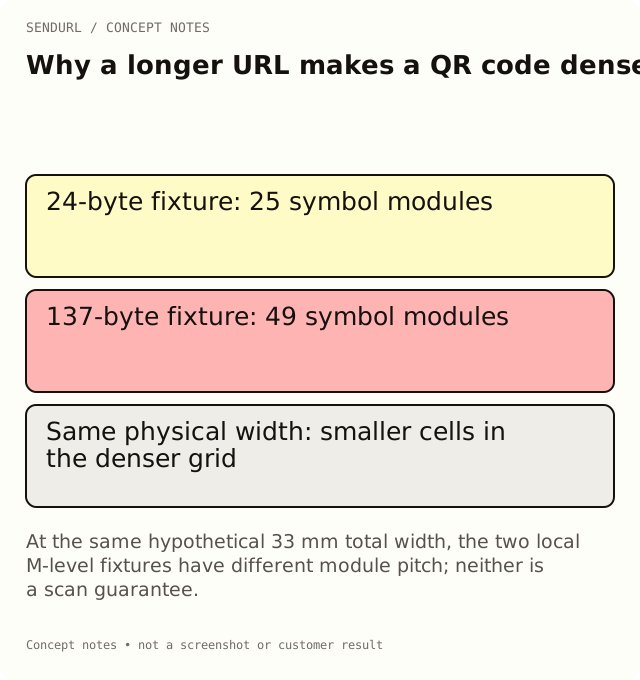
A module is one cell in the symbol
QR versions use different module grids. DENSO WAVE’s Information capacity and versions of QR Code explains that the version and its module configuration grow with the encoded information. Do not confuse the number of modules with the final width in millimetres.
The rendered artwork also needs surrounding quiet space. That space is not a place to squeeze in a caption or crop away an inconvenient margin. When comparing physical dimensions, state whether the measurement includes the quiet zone rather than switching definitions halfway through a calculation.
A reproducible encoding example
The following values were calculated locally with the repository’s QR encoding library at error correction M. They are diagnostic fixtures using placeholder addresses, not a browser scan test or a production SendURL account download.
| Fixture | Encoded UTF-8 bytes | QR version | Symbol modules per side |
|---|---|---|---|
| Short placeholder route, https://go.example.org/s | 24 | 2 | 25 |
| Longer placeholder destination with the campaign query below | 137 | 8 | 49 |
https://example.org/products/installation-guide?utm_source=packaging&utm_medium=qr&utm_campaign=setup_launch&utm_content=carton_insert_v3The example compares the exact supplied strings under the stated encoder settings. Another payload, mode selection or error-correction setting can produce different results. Do not turn these two fixtures into a universal limit on URL length or a minimum print-size recommendation.
Fixed width changes the size of each module
With four modules of quiet space on each side, those two fixture grids occupy 33 and 57 modules per side respectively. If each whole example is placed in a hypothetical 33 mm square, the module pitch is 1 mm for the first and about 0.58 mm for the second. That is a dimensional calculation, not evidence that either printed object will scan reliably.
The calculation explains why simply resizing a busy code can make its individual details harder to reproduce. Printer behavior, material, contrast and the reader’s camera still need their own proof test. Preserve the exact artwork version used for that observation.
Shortening changes the maintenance dependency
A managed short route can keep the QR payload compact while the stored destination carries campaign parameters. It also creates a dependency on maintaining that public hostname and saved route. A short string is not automatically the better business choice if the organization will abandon its account or domain.
Put UTMs on the approved stored destination, not on the public short address with an expectation that SendURL forwards arbitrary query parameters. Keep the mapping in the production register. If the destination changes later, record the change and its reporting consequences.
Error correction changes the comparison too
Raising error correction can change the required version for the same data. In the same local fixtures at H, the short payload used version 3 with 29 symbol modules per side, and the long payload used version 11 with 61. Those are additional encoder observations, not a recommendation to choose a level solely from the smaller grid.
DENSO WAVE’s Error correction feature explains the capacity tradeoff. Do not read an error-correction label as permission to cover an arbitrary percentage of the image with a logo or to remove quiet space.
Distinguish a fixture from an account QR download
Free organization QR codes carry the SendURL mark and use the product’s supported rendering behavior. Free permits one styled-QR link; Pro+ removes the mark and allows styles on every link. A plain diagnostic fixture at M is not a screenshot of the Free account’s actual marked artwork.
Review the current QR and destination-edit features before preparing a production asset. QR styling covers colours, dot and corner shapes; there is no logo-upload feature, so plan any logo for the printed piece around the code, not inside it.
Verify the code on the object that matters
Decode the final artwork to confirm the approved payload. Then print and scan a physical proof at its actual size and material, checking the destination task as well as decoding. A code that succeeds on a large monitor is not automatically approved for a small coated label.
Keep a readable fallback and an owner for the route. If the customer will keep the product for years, consider the hostname’s renewal and maintenance obligations before choosing the shortest address today.
Create an owned SendURL link when a maintained short route fits that responsibility. The QR Code Size for Print guide covers proof planning beyond the module calculation.
Frequently asked questions
Does a shorter QR payload guarantee a successful scan?
No. It can change symbol density, but physical size, material, contrast and the real proof still need verification.
Are the example module counts customer performance results?
No. They are locally calculated encoder fixtures with explicit payloads and error-correction settings.
Can I crop quiet space to fit a denser code?
Do not treat quiet space as spare artwork. Preserve the supported surrounding margin and redesign the placement when necessary.
Does a short route remove the need for destination maintenance?
No. It introduces a maintained route whose account, hostname and destination must remain appropriate.
A QR code for every short link.
Every short link comes with its own QR code, and each scan is counted as a click and marked as a scan. Free, with no sign-up to start.