Review evergreen support links when the product changes
Assign review triggers to long-lived help routes and test the customer’s task after a product change. Evergreen is a maintenance obligation, not a guarantee that a page stays correct.
A setup card can remain in a box long after the help centre has moved. A link that still answers is not necessarily a useful link: it may open instructions for the wrong product version or a page that now requires an account. Review the customer task whenever the product or documentation changes.
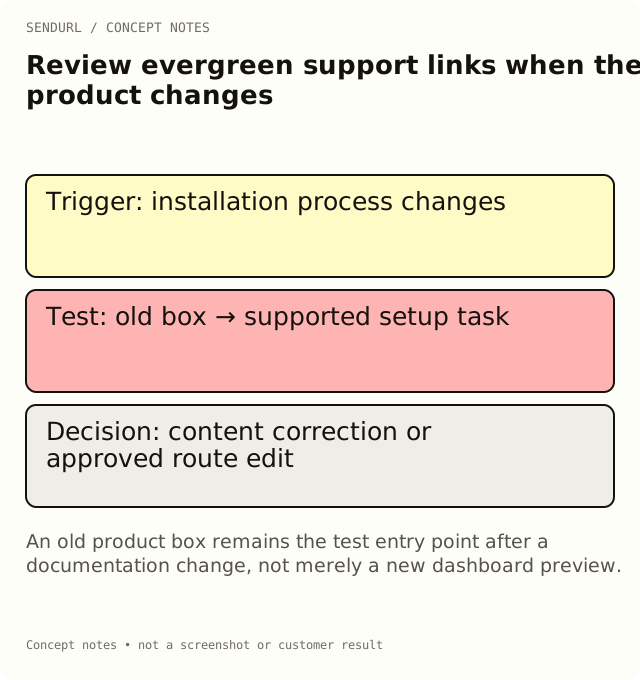
Attach a trigger to the resource
For an illustrative router setup guide, the trigger is a revised installation process, not merely the passage of another month. A second trigger might be a documentation-site migration. Name the owner who will notice each event and the placements that depend on the route.
Maintained short route:
Supported product/version and customer task:
Known printed and digital placements:
Current destination and content owner:
Review triggers:
Representative customer access conditions:
Most recent route test and task result:
Version mismatch or accessibility issue found:
Approved correction and link-plan capability needed:
Retest observation:
Next accountable owner:
Reproduce the old-box journey
Take a representative card from the affected product version and follow its actual route. Compare the instructions with the device the customer owns. If a help-site redesign has introduced a login, test whether that is intended and supported for this audience. Do not assume an employee’s existing browser session represents the customer.
Record the page version or a durable reference to the reviewed content. A vague “looks fine” makes it difficult to establish what changed when somebody reports the problem later.
Choose the correction at the right layer
Sometimes the destination page needs an update. Sometimes the maintained short route needs an approved replacement page. Editing the stored destination requires Pro+; changing a help-centre article through its own publishing system is a separate action. Compare destination editing and reporting history when planning a long-lived support program.
Do not delete the saved link as a way to reuse its slug for a corrected route. Deleted links retain the slug and still count toward quota. If the underlying customer task is still valid, preserve an understandable route and an accountable maintenance decision.
Check the correction from the surviving material
Repeat the old-box journey after the change, including the readable fallback address. A new code in the dashboard does not repair an incorrect fallback already printed on the card. Document what can be fixed through routing and what requires a new artwork version.
Create support routes in an owned SendURL account rather than depending on an unclaimed address somebody made during a launch. The account gives the route an owner; this review record keeps the resource’s purpose and product-version context visible.
Maintenance background
Change Where a Short Link Points describes supported destination edits. QR Code Size for Print covers rechecking the physical material when artwork changes.
Frequently asked questions
Does a successful redirect mean the support instructions are current?
No. Complete the intended task with the relevant product version as part of the review.
Should every help link expire automatically?
Not necessarily. A support task may remain valid for years. Choose the lifecycle around that task and assign an owner.
Can changing the destination repair incorrect printed fallback text?
No. Routing can repair only the actual address that reaches it. Incorrect printed text needs an artwork or communication correction.
Start tracking links free.
Create your first short link with click analytics in seconds. No credit card, no sign-up to start.