A destination-change record for links already in circulation
Record the old destination, the approved replacement and the observed cutover before changing a shared short link. Keep the route’s earlier purpose available to the next reviewer.
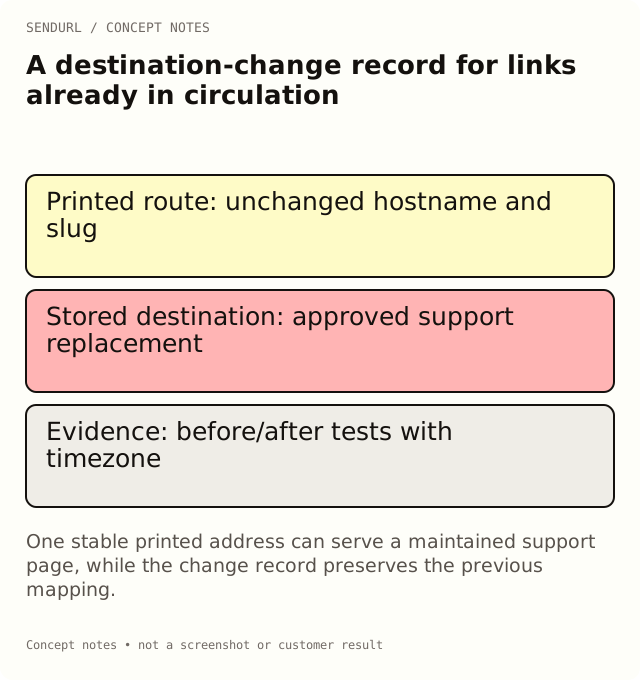
A printed insert still points to an old product page. Changing the saved destination may fix the customer journey without reprinting the code, but it also changes what later requests mean. A short change record makes the maintenance decision visible without pretending that the product stores a full historical destination ledger.
Identify the route, not only the page
Record the exact short hostname and slug. Similar slugs can exist on different domains, so the path alone is insufficient. Keep the link’s owner and the location of the printed or published material alongside the request.
Short URL and link identifier:
Distributed placements affected:
Old stored destination:
Approved replacement destination:
Reason and approving owner:
Expected customer task after the change:
UTM values that will change:
Pre-change test and time:
Change time and timezone:
Post-change test from the real distributed route:
Observed result and unresolved issues:
Rollback or follow-up decision:
Apply it to a discontinued product
In an illustrative example, the old route opens a discontinued shoe. The proposed replacement is a support page explaining compatible parts, rather than an unrelated sale. The customer task guides that choice: someone scanning an old box may need help with the purchase, not a new advertisement.
Test the proposed page before editing. Check public access, language, mobile layout and any campaign parameters that will matter at the destination. A replacement that requires an employee’s login is not ready merely because it loads in the owner’s browser.
Understand what stays and what changes
Editing a saved destination is Pro+. The short hostname and slug remain the distributed address; the destination is the field being changed. Do not promise the same edit on Free, and do not delete the link as a way to recycle its slug. Deleted links retain their slug and still count toward the link limit.
After a UTM edit, SendURL’s UTM statistics use the current destination’s source, medium and campaign values. Preserve the earlier mapping in this record when the old context matters. A current grouping is not evidence that every earlier visitor received the new destination.
Close the change with an observed test
Follow the exact address from the card, profile or message after saving. Record the observed page and time. Allow your internal process to account for caching or an old shared preview separately; a stale social image does not necessarily mean the redirect target failed to change.
Check destination editing in the current plans before committing to long-lived printed routes. If the account has not been created yet, set up the maintained links in SendURL while ownership is clear.
Related behavior
Change Where a Short Link Points Without Changing the Link explains the supported edit. The record here supplies the operational history around it.
Frequently asked questions
Does SendURL keep the old destination for my report?
Do not rely on a historical destination ledger. Save the old mapping and cutover evidence in your change record.
Can I move the short link to another domain with this edit?
No. The link’s domain is immutable. A different short hostname requires a different route and a distribution plan.
Is a successful dashboard save enough?
No. Verify the actual distributed address and the customer task after the change.
Start tracking links free.
Create your first short link with click analytics in seconds. No credit card, no sign-up to start.