A partner resource map that survives a collateral update
Map each partner placement to its approved material, owner and update trigger. Distinguish distribution activity from evidence that a named partner viewed, understood or sold something.
A partner deck, a reseller portal and a training email all reference the same product sheet. When the sheet changes, the team needs to know which routes still promise the old version. A resource map makes that maintenance task visible without turning anonymous requests into partner performance scores.
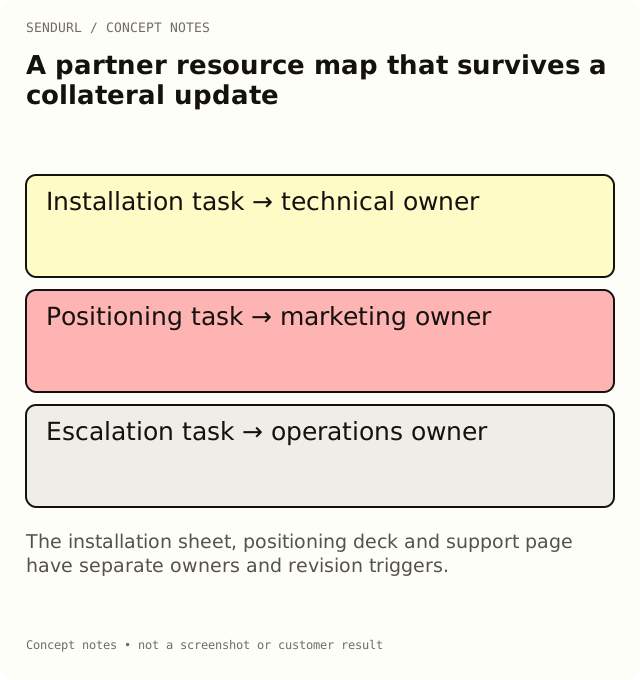
Organize by the task the material serves
Use an illustrative partner program with three resources: an installation sheet, a positioning deck and a support escalation page. They help different tasks and may have different owners. A single “partner links” row hides those differences just when somebody needs to approve a correction.
partner_surface,resource_task,approved_material,maintained_route,owner,update_trigger
training_email,Install the product,Installation sheet v2,[saved URL],Technical enablement,Installation procedure changes
reseller_portal,Explain product fit,Positioning deck v4,[saved URL],Product marketing,Positioning approval changes
partner_handbook,Escalate a support issue,Support contacts page,[saved URL],Partner operations,Contact ownership changes
Follow a material revision through the map
Suppose the positioning deck gains a new product limitation. The marketing owner approves version 5, then checks which surfaces use the maintained route and which contain a direct file URL. Editing the maintained destination does not repair a file attached to an old email or an independently copied direct URL.
Record the old version and the distribution cutover. If historical reports matter, preserve the link-to-material mapping that applied at the time. A current destination is not a retroactive record of what every earlier requester saw.
Decide what the report can say
Separate routes per partner surface can describe those distribution placements. They cannot establish that a named partner viewed the deck, understood the limitation or produced a sale. Keep actual training completion and sales records in the systems responsible for them.
Folders can group a partner program, while tags can describe reusable categories such as installation or support. Avoid multiplying labels that nobody will review. Free has five tags; paid plans have unlimited tags. Use a consistent inventory rather than treating more labels as stronger attribution.
Assign the maintenance obligation
Pro+ allows destination edits after creation. Check pricing for maintained links and the required reporting history before the team promises that a single public route can follow every future collateral revision. Extra seats are arranged by hand on request, not a self-serve partner-portal feature.
Open a SendURL account for approved partner resources under the intended organization. Then test one real partner-facing surface after an update, using a representative recipient session.
Related organization guidance
Folders and Workspaces: Organize Your Short Links explains the product’s organization model. The map supplies the material version and business ownership that a folder name alone cannot provide.
Frequently asked questions
Should every partner have a separate short link?
Use that distinction only when distribution context is useful and appropriate. A partner-specific route still does not verify an individual reader’s identity.
Does changing a maintained route update attached PDFs?
No. Independently distributed files and direct links need their own replacement process.
Where do partner sales results belong?
In the authorized sales system with its attribution rules. Link requests can describe an earlier distribution stage.
Start tracking links free.
Create your first short link with click analytics in seconds. No credit card, no sign-up to start.