A sales resource-link follow-up note without intent guessing
Record what a prospect asked for, what you sent and the next agreed task. Link activity can help maintain the route; it does not establish who read the resource or whether they intend to buy.
A seller sends a technical comparison and later sees several requests through the shared link. It is tempting to treat that as a strong buying signal. The address may have been forwarded, previewed by a mail service or opened repeatedly by one browser. A better follow-up starts with the prospect’s stated task, not a guessed identity behind the count.
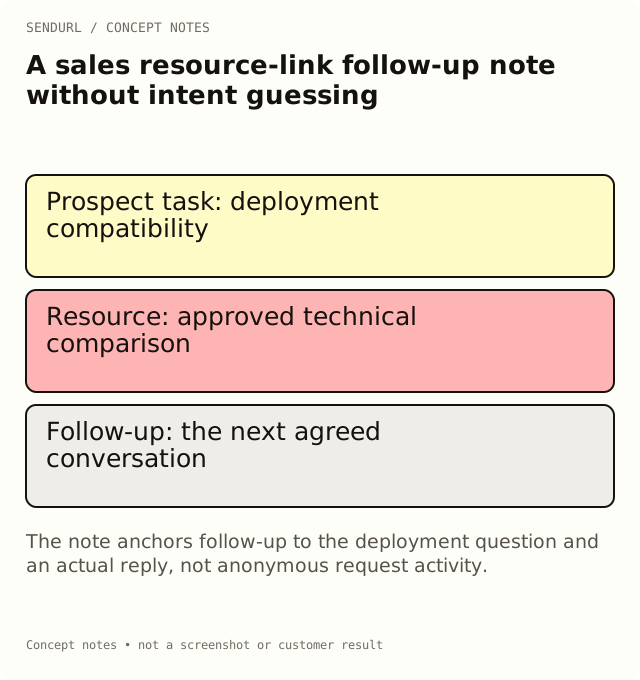
Keep the request in the prospect’s words
For an illustrative account conversation, the prospect asked whether a product supports their existing deployment model. Record that question and send the resource that actually answers it. The link’s purpose is to advance that decision, not to create a reason for an unsolicited “I saw you looking” message.
Account/conversation reference in the authorized CRM:
Task or question the prospect stated:
Resource title and approved version:
Destination owner:
Saved link and placement used:
Date sent and promised next step:
Known route problems or maintenance changes:
Response received from the prospect:
Agreed follow-up task and owner:
Evidence we do not have:
Use a request count for the right job
If the prospect reports that the link failed, the selected route’s activity can help investigate whether requests reached it. Check the stored destination and reproduce the promised page. Do not reply that a request proves the prospect personally opened the document; the link report does not supply that identity.
If the resource is forwarded within a buying group, a shared link can be useful. It also means that requests no longer distinguish the original recipient’s placement. Use separate routes where you need distribution context, but do not create covert person-level claims from those routes.
Keep private sales records in their home
The note can reference the CRM record without copying private account details into a broadly shared campaign sheet. Use the destination’s own access controls for confidential technical or commercial documents. A link password is a shared gate, not a document permission model or proof of an authorized reader.
Pro+ supports setting link passwords and changing destinations. Compare those capabilities in pricing if the workflow needs them; extra seats are arranged by hand rather than assumed to be a self-serve invite feature.
Follow up on the agreed decision
A useful next message asks whether the resource answered the deployment question or offers the promised demonstration. It does not announce a fabricated observation about an individual’s reading behavior. Record the actual response and the next task in the sales system.
Save maintained resource links in SendURL when that makes version ownership easier. Pair the note with Can You See Who Clicked Your Link? so the team understands exactly what its link evidence cannot establish.
Frequently asked questions
Can a unique-visitor estimate identify the prospect?
No. It is an approximate network-based count, not a person’s name or verified account identity.
Does a separate link prove which recipient opened it?
No. It preserves the distribution context you assigned, but the address can be forwarded or requested automatically.
What is a reasonable trigger for follow-up?
The prospect’s agreed next step, an actual reply or a documented support need, rather than a guessed meaning assigned to anonymous requests.
Start tracking links free.
Create your first short link with click analytics in seconds. No credit card, no sign-up to start.