A booth QR-to-lead handoff for field events
Connect the booth’s QR promise to a maintained form and an owned follow-up process. Keep scan activity separate from consent and lead records collected by the destination.
A visitor scans the booth sign for a buying guide, submits a form and expects the promised resource. The event team may see scans while sales sees form records, but those counts are not interchangeable. A handoff sheet connects the actual customer journey without pretending that a QR request identifies a prospect.
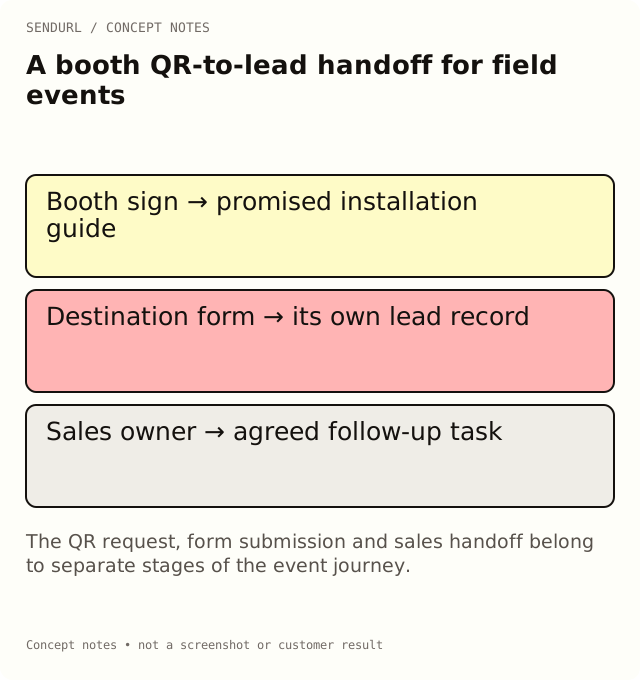
Start with the booth promise
For an illustrative industrial-sensor event, the sign says “Get the installation guide.” Check that the form and thank-you page deliver that guide. If the team really wants demo requests, change the invitation openly rather than using an educational promise to hide a different next step.
Event, booth and sign version:
Printed action label and fallback address:
Saved QR route:
Destination form and accountable owner:
Promised resource and delivery method:
Required form fields and review owner:
Consent/preference process in the destination system:
Lead-routing system and follow-up responsibility:
Pre-event physical scan test:
During-event issue contact:
After-event destination and review date:
Walk a test record through the handoff
Use an approved synthetic form submission. Scan the actual proof, complete the form and confirm that the right owner can locate the resulting record and deliver the guide. Check that the test is labelled in the destination system. The exercise verifies routing and responsibility; it is not evidence of a real interested buyer.
The form’s privacy and preference process belongs with the people responsible for that system. SendURL records requests through the saved route; it does not collect a person’s form consent or provide a native sales lead workflow merely because you can export link data.
Plan the sign’s life after the event
A poster or shared photo can continue circulating after the booth closes. Decide whether the route should offer the same guide, a replay or an event recap. Editing the saved destination is Pro+, so check the plan’s destination-edit capability before promising that one printed address will be retargeted later.
Free account QR downloads carry the SendURL mark and permit one styled-QR link. Branding and scan readability are separate concerns: approve a physical proof even when the route is managed. Pro+ removes the mark and allows styles on every link; neither plan offers a logo-upload editor.
Give sales the right evidence
Send the form-system lead record through the agreed handoff process. Send the campaign owner the route’s scoped scan activity. Do not put an unidentified scan into the CRM as a named person or treat every form record as permission for an unspecified follow-up.
Create the event’s managed route in SendURL while the sign and form owners can still review it together. The QR scan tracking guide explains the distinction between a marked QR request and a customer outcome.
Frequently asked questions
Can a QR scan become a lead automatically?
A scan is a request. A lead record requires the destination’s collection and qualification process; SendURL does not supply that identity from the scan.
Should the handoff sheet include attendees’ contact details?
Keep personal records in the authorized destination or CRM process. This shared sheet describes routing and responsibility.
What should replace an expired booth offer?
Choose a maintained page that explains the next useful task. Do not silently redirect old educational promises to an unrelated offer.
A QR code for every short link.
Every short link comes with its own QR code, and each scan is counted as a click and marked as a scan. Free, with no sign-up to start.