What happens to old QR links when a domain is removed
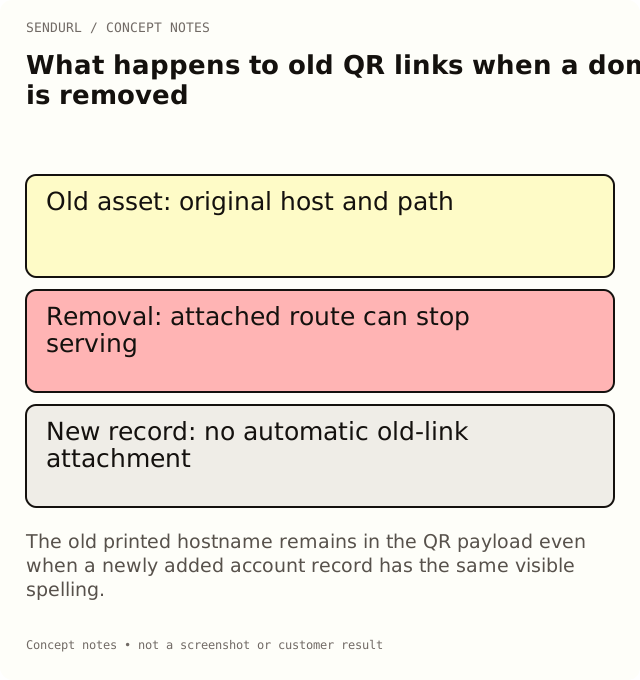
Removing a short domain can stop its attached routes. Re-adding the same hostname does not automatically reconnect old links, so review surviving printed and digital placements before treating removal as cleanup.
An old campaign looks finished and its branded hostname is removed from the account. Weeks later, a customer scans a card from that campaign’s product box. The destination page still exists, but the printed route depends on the hostname that was removed. Domain cleanup has become a customer-access incident.
The hostname is part of the distributed address
A QR symbol encodes an address, including its hostname and path. The artwork does not ask the account which new brand name the team prefers today. If a customer still holds the object, that old address remains the starting point of the journey.
The same is true of a link in an old email, a saved PDF or a searchable post. An inventory that only considers the newest campaign dashboard can miss those surfaces. Before removal, identify what may still circulate and the task it promises.
Domain removal and destination editing are different
Editing a saved destination on Pro+ changes the target behind the existing short route. Removing its domain affects whether that route can be served through that hostname at all. It is not a more thorough version of the same maintenance action.
For an illustrative care card, moving the target from an old product page to an approved care page can preserve the customer task. Removing the host printed on the card does not perform that move. The new support page cannot help a reader who no longer reaches the route.
Re-adding the spelling is not automatic reconnection
Links associated with a deleted domain record are not automatically attached to a newly added record for the same hostname. Matching the visible spelling is therefore not sufficient evidence that the old inventory has been restored.
Do not promise a universal “remove and add again” recovery procedure. Use the supported account and support processes with the actual route inventory. Preserve the exact old hostname and paths rather than only the new domain’s status screenshot.
Keep link deletion separate as well
Deleting a saved link retains its slug and still counts toward the link limit. That rule is distinct from the domain’s lifecycle, but it reinforces the same operational point: deletion is not a casual way to recycle a published identity.
If the goal is stopping a time-limited offer, use the appropriate supported lifecycle control and communicate the intended reader experience. If the goal is repairing a destination, diagnose that problem rather than removing the domain as a reset. Review the impact on customer materials before acting.
A review example before removing a host
Imagine a branded host used for a launch newsletter and a package insert. The newsletter’s offer has ended, but the insert still promises product setup. Review the two tasks separately. The offer route can explain the ended promotion, while the setup route may need ongoing maintenance.
List the material versions and their owners. Test an actual surviving address, including a physical QR proof where relevant. A quiet recent report is not proof that nobody can ever need the older support task again, especially when the selected history window is limited.
Give renewal and access an owner
Sometimes the real issue is that a DNS administrator has left or nobody knows who renews the parent domain. Removing the hostname from SendURL does not solve that ownership gap. Assign the registrar, DNS and link-maintenance responsibilities through the organization’s approved access process.
Keep verification values, private account access and recovery information out of a public handover document. Record who can use the proper process and where its approved evidence is held. An operational contact is more useful than an undocumented assumption that a domain will remain available forever.
Verify any proposed recovery with the old route
If the team resolves an incident, test the exact address from the old material. A new route on the same hostname or a successful homepage response is not the same observation. Check the actual destination and the customer task, then record the time and what was repaired.
Where a replacement address is unavoidable, plan how the relevant audience or material will receive it. A destination edit cannot change the characters already printed on an object. Avoid claiming that an untested new link repairs every old placement.
Review destination editing and current domain allowances before choosing a long-term maintenance workflow. Create owned routes in the intended SendURL organization rather than depending on temporary campaign ownership. The SendURL API reference describes the supported model, and Change Where a Short Link Points explains the less disruptive destination operation.
Frequently asked questions
Does a new record with the same hostname reconnect old links?
No automatic reattachment is provided. Verify the exact old routes through the supported account or support process.
Can a destination edit change the hostname printed in a QR code?
No. It changes the target behind the existing route, not the characters encoded in an old asset.
Is no recent activity proof that a domain is safe to remove?
No. Consider reporting-window limits and surviving customer tasks, including printed materials.
What should I test after a repair?
The actual old hostname and path from the distributed material, followed through to its intended task.
Start tracking links free.
Create your first short link with click analytics in seconds. No credit card, no sign-up to start.