Move to a new short hostname without abandoning old shared links
Inventory the addresses already distributed, establish the new hostname and verify equivalent destinations before changing publication. An existing link’s domain is immutable; preserve or explicitly retire the old routes rather than pretending a destination edit renames them.
Your organization has chosen a new public short hostname. Perhaps a campaign identity is becoming a permanent brand, or a shared service address no longer fits the program. The new name is the easy part. The difficult part is every old email, package and partner document that still contains the earlier address.
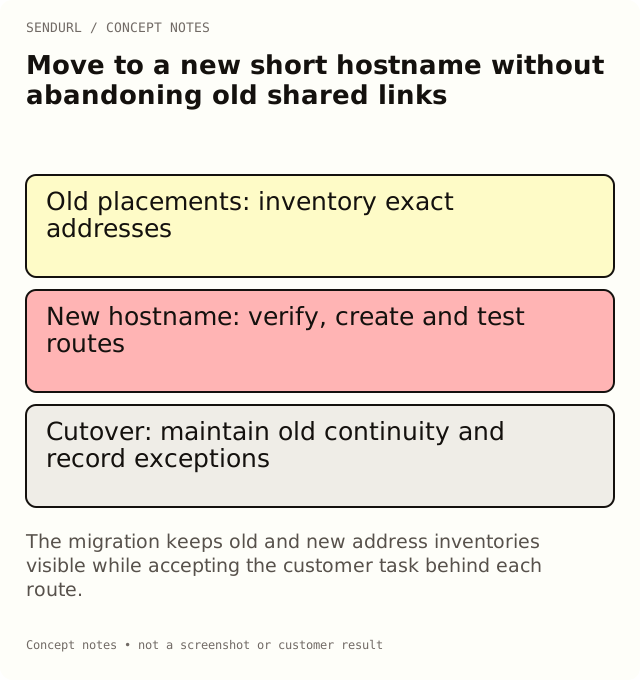
This walkthrough plans a migration between public route inventories. It is not a one-click import or a promise that SendURL can take over a hostname owned by another provider. Work with the people who control the actual domains and accounts, and obtain any required approval before changing live routing.
1. Inventory what is already distributed
List exact old short URLs, their approved destinations, the surfaces where they appear and the customer task each serves. Keep hostname and path together. Similar slugs can exist on different domains, so a path-only list is not enough.
Include printed material, downloadable documents, searchable posts and partner placements. Record a material version where it affects the promise. A link in a product box may need longer continuity than a launch email’s temporary discount.
Do not treat a recent dashboard’s live-link list as proof that your inventory is complete. Check the campaign register and the people responsible for older materials. Keep unknown placements explicit instead of inventing a confident end date for them.
2. Decide whether the hostname can actually move
If the old address uses a hostname you do not control, do not assume you can retain it on a new service or under a new account. Check the applicable provider’s supported options and the organization’s existing agreements. A familiar custom slug does not confer ownership of the parent domain.
For an organization-controlled hostname, involve the registrar and DNS owners. Identify existing services and any constraints before replacing records. The migration plan should state which addresses can remain served, which require a newly distributed route and which decisions are still unresolved.
3. Establish the new hostname under the intended ownership
Create the SendURL organization that should own the new links, then use the available domain setup surface or the supported assistance process. Free includes one custom-domain allowance and one snu.to subdomain; paid plans provide higher limits. Capacity does not prove setup is enabled or that a requested name is available.
For a custom hostname, follow the product-provided routing and TXT verification instructions. Check serving/certificate status separately. Do not announce readiness from a CNAME observation alone or copy a verification value from another account.
Review current domain allowances and availability before promising the rollout date. Create the account for the new inventory while the responsible team can approve its ownership and maintenance process.
4. Map destinations by task, not merely by path shape
For an illustrative support program, map an old setup route to the new setup resource for the relevant product. Avoid a blanket rule that sends every retired path to the homepage. A technically successful redirect can still abandon the reason the reader followed the address.
Keep the approved destination, any UTMs, its access conditions and the destination owner in the map. Check language and product-version context where they matter. A reviewer’s already-authenticated browser may conceal a page that a customer cannot use.
Old short route: [exact distributed address]
Promised task: Set up model A
Approved destination: https://example.org/docs/model-a/setup
New short route: [created address on the verified new hostname]
Old-route continuity decision: [approved supported behavior]
Owner and acceptance evidence: [recorded observation]
The example is a mapping record, not a native migration command or a live route. Use the actual created address in production only after verification.
5. Create and validate the new routes
Use supported account controls or your own documented API integration. Do not assume a bulk importer accepts every old provider’s export or that a proposed slug is automatically available. SendURL custom slugs use 1–256 permitted characters: letters, digits, underscore and hyphen; reserved names and collisions are rejected.
If an old path does not fit the supported creation rules, choose and record a new path rather than silently rewriting the inventory. Preserve case exactly where the public route depends on it. Check the returned hostname and slug before placing the new address into a message or artwork.
Follow each representative new route to its intended destination. Verify important exceptions individually rather than approving the entire inventory from one successful homepage test. Keep failures and unresolved mappings visible.
6. Plan continuity for the old addresses
An existing SendURL link’s selected domain cannot be edited. A destination edit can maintain its target on Pro+, but it does not replace the short hostname in a previously distributed URL or QR payload. A migration may therefore need old and new routes to coexist.
Do not delete the old domain as a cosmetic cleanup step while old materials depend on it. Removing a domain can stop attached routes, and re-adding the same hostname does not automatically reconnect the old links. Deleting links also retains their slugs and quota usage.
Choose the supported continuity action with the old account or provider owner. If continuity is impossible, document the limitation and plan replacement communication or artwork. Do not describe an unverified recovery theory as a completed migration.
7. Replace digital and physical placements deliberately
Update the live surfaces you control and keep a record of which version now uses the new address. A new website button and a new PDF are separate distribution changes. An email already delivered or a customer box already printed will not automatically receive the replacement.
For new QR artwork, decode the final file and test a physical proof at its intended size and material. Verify the fallback address as well as the symbol. Keep appearance changes, hostname changes and destination maintenance as three separate observations.
8. Record the measurement cutover
New and old routes can produce separate link activity during the transition. Define how the report will handle both inventories and the cutover window. Do not treat one new route’s lower count as proof that demand disappeared while old addresses remain active elsewhere.
Keep requests, sessions and business outcomes separate. If UTMs change, record the mapping and the first distribution time. SendURL’s UTM statistics use the current destination; they are not a per-click archive of the parameters that existed before the move.
9. Accept the migration from the reader’s starting points
Test a representative old distributed address and its new replacement. Confirm the promised task, not just a successful status code. Include relevant phones, desktop contexts and protected destinations where the actual audience needs them.
Close the migration with the route inventory, observations, remaining exceptions and named maintenance owners. A truthful partial result is more useful than a claim that all old links were preserved when the team cannot demonstrate that. Retain the old-material references for the next support incident.
Supporting product references
The SendURL REST API reference documents link fields and errors. Custom Short Link Slugs explains naming, and How URL Shorteners Work explains the response types you may encounter during acceptance.
Frequently asked questions
Can I rename the domain on an existing saved link?
No. Its selected domain is immutable. Create and distribute a new route when the public hostname changes.
Can SendURL preserve an old provider’s shared hostname for me?
Do not assume that. Ownership and the previous provider’s supported options determine what continuity is possible.
Will deleting and re-adding a domain restore its old links?
No automatic reattachment is provided. Treat removal as an impactful lifecycle decision, not a migration step by default.
Should every old path go to the new homepage?
Prefer the equivalent resource that fulfills the original task. A generic homepage can discard important reader context.
Does a completed DNS setup prove the migration is done?
No. Verify created routes, old-address continuity, distribution replacements and the intended customer tasks.
Start tracking links free.
Create your first short link with click analytics in seconds. No credit card, no sign-up to start.