Review a proposal-sharing route before sending it
Check the document’s real permissions, the shared route and the public preview separately. A password on a short link does not replace document authorization.
A proposal URL may contain confidential pricing, customer details or an expiring document token. Shortening it makes the address easier to share; it does not remove the sensitivity of the destination or make every recipient authorized. Review the actual document system before adding another gate around its route.
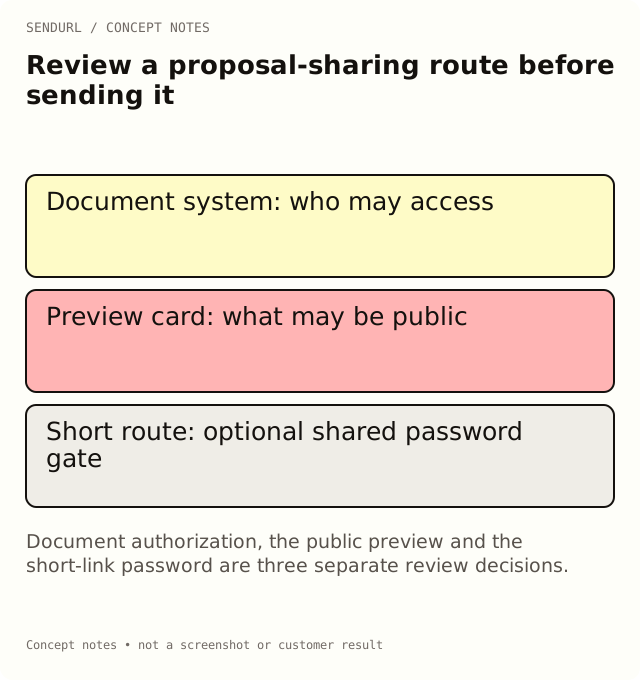
Establish the document’s access model
For an illustrative proposal, confirm whether access is restricted to named accounts, possession of a document token or a public URL. Those models have different consequences when the address is forwarded. The review should name the model and the person authorized to approve it.
Document system and accountable owner:
Approved proposal version:
Destination access model and authorized audience:
Short route and its owner:
Link-password decision, if applicable:
Public preview title, description and image reviewed:
Expiry responsibility in the document system:
Representative recipient test:
Forwarding and revocation behavior checked:
Support contact and unresolved access risks:
Test the recipient, not the author
Open the route in a session representing the intended recipient. An author’s already-authenticated browser can conceal a permission failure. Confirm that the recipient reaches the approved version, can complete the intended review and is not silently granted access to unrelated documents.
If the test reveals a permission problem, repair it in the document system. Adding a short-link password is not a substitute. A shared password does not identify the reader, and somebody who obtains the destination through another permitted path may not encounter that particular short-link gate.
Review the card before the gate
A custom social preview is a separate public presentation surface. A link unfurler may receive the stored preview before a human visitor encounters the password form. Keep confidential pricing, a private document title and recipient details out of that card. Use a neutral description appropriate for anybody who could receive the forwarded short address.
Pro+ permits setting a link password and expiry. Free allows one saved link with a custom preview, while paid plans allow previews on every link. These controls have different purposes; review the plan comparison without treating any one of them as complete document security.
Record the end of the proposal’s life
Decide which system will revoke document access and who will maintain the route after the proposal is superseded. A link expiry stops that route; it does not revoke every other copy of the destination or delete the document. Deleting the saved link also retains its slug and quota usage.
Create the shared route under the intended SendURL account only after the document owner approves the access model. Password Protect a Link explains the supported gate and its boundaries.
Frequently asked questions
Can the preview reveal proposal information before a password?
Yes. Keep custom preview content suitable for public sharing. The preview is separate from the human password gate.
Does expiring a short link revoke document permissions?
No. It stops that route. Revoke or change access in the document system when that is the requirement.
Can request data prove that a named stakeholder read the proposal?
No. Use the document system’s supported evidence where available, and preserve its own limitations.
Start tracking links free.
Create your first short link with click analytics in seconds. No credit card, no sign-up to start.