A launch link register your team can actually maintain
Give every launch placement a named route, an owner and a destination outcome. This register keeps link decisions together without treating requests as orders.
A product launch rarely has one link. There is the newsletter button, a creator’s profile, a launch-day post and perhaps a card packed with the first orders. When somebody asks which placement helped, the useful answer begins with the register you kept before publication. Reconstructing it from a pile of short URLs is slower and less reliable.
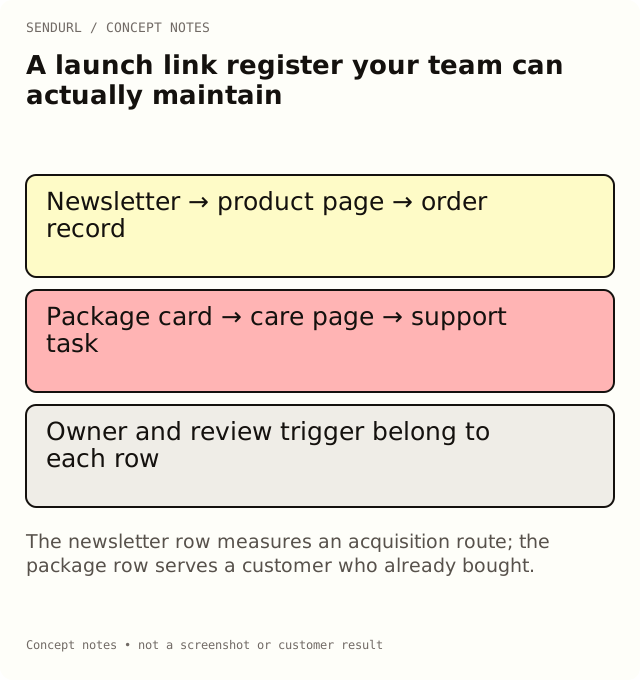
Start with the job of each placement
For an illustrative running-shoe launch, the newsletter takes shoppers to the product page. The package card takes existing customers to care instructions. Those routes need different outcomes: a paid order for the first, a successfully completed care task for the second. Neither outcome is established by a redirect count.
Copy the following CSV into a sheet. Keep the destination exactly as approved, including any campaign parameters. Fill the short URL only after the link exists; the example uses a placeholder rather than claiming that a demonstration address is live.
placement,internal_title,destination,short_url,owner,outcome_system,review_trigger
newsletter_button,Trail shoe launch — email,https://example.org/trail?utm_source=newsletter&utm_medium=email&utm_campaign=trail_launch,[created URL],Mina,Commerce paid orders,Offer changes
package_card,Trail shoe — care,https://example.org/care,[created URL],Alex,Support task feedback,Packaging reprint
Read the sample as a handoff
The internal title tells a scheduler which route to copy. The owner tells a colleague who can approve a change. The review trigger is an event, not an arbitrary date that everybody will ignore. A new offer, a changed support page or a reprint can make a previously correct link wrong.
Save the launch’s links in a SendURL folder. Use a tag such as email only when it will help a later cross-campaign review. A folder and a tag are organization aids; the register remains the explicit record of the placement’s promise and business outcome.
Check one row against the delivered launch
Open the final newsletter draft, follow its actual button and compare the landing page with the registered destination. An email platform may insert its own tracking redirect, so testing only the address in the sheet is insufficient. Record when the test happened, then distinguish that test request from later customer activity.
If the product page changes after launch, a Pro-or-higher organization can edit its saved destination. On Free, plan a new route instead of promising that the printed or published address can be retargeted. Review the SendURL plan comparison before committing artwork, or create the launch links in an account once the routes are approved.
Keep the register small. Remove columns that have no owner or decision attached; do not remove the distinction between link activity and completed orders.
Reference for the saved links
The SendURL REST API: Create link describes link creation. For the full distribution workflow, use the social media placement guide.
Frequently asked questions
Does each button need its own short link?
Only when you need to distinguish its placement. Two buttons deliberately sharing a route will produce combined activity.
Where do purchases go in this register?
Name the commerce system and its order definition. Keep order records there; do not relabel SendURL requests as purchases.
Can deleting an old launch link free its quota slot?
No. A deleted link keeps its slug and still counts toward the link limit. Use a deliberate lifecycle policy.
Start tracking links free.
Create your first short link with click analytics in seconds. No credit card, no sign-up to start.