An SMS destination review sheet for your sending provider
Record provider approval, the intended destination and the exact delivered message before sending an SMS campaign. A working short link does not establish carrier acceptance.
A short URL fits comfortably inside an SMS, but character savings are only one part of the sending decision. Your provider may impose sender, hostname or registration requirements for the route and country involved. Treat those requirements as inputs from the provider, not as something a shortener can guarantee away.
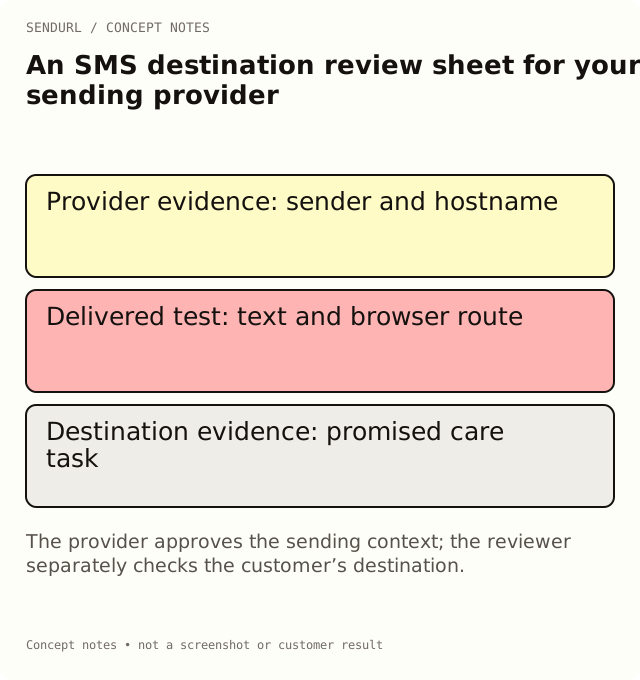
Separate the provider decision from the link test
For an illustrative order-care message, a customer needs instructions for a product already purchased. First establish that the sending system is the right place to send that message and that its current provider requirements have been met. Then test whether the URL opens the promised resource. A successful page load answers the second question, not the first.
field,value,evidence_owner
message_purpose,Product care after purchase,Commerce owner
recipient_market,[country or route],Messaging owner
sending_provider,[provider and service],Messaging owner
approved_sender,[provider-confirmed identity],Messaging owner
approved_hostname,[provider-confirmed hostname],Messaging owner
provider_reference,[current document or ticket],Messaging owner
destination,https://example.org/care,Support owner
test_message_version,[exact text version],Campaign owner
test_time_timezone,[recorded observation],Reviewer
open_questions,[do not infer approval],Reviewer
Fill the evidence rather than the conclusion
The hostname cell records what was approved, not merely what the team hopes to use. A custom domain may make the sender easier to recognize, but it is not evidence of provider or carrier acceptance. If a requirement is unclear, keep it unresolved and ask the provider about the actual sending service and recipient market.
Keep order-specific access inside the commerce destination. Do not place a reusable customer credential or a private order token in a public sample sheet. A general care page and an authenticated order page have different access expectations; label which one the message promises.
Reproduce the recipient route
Send the exact proposed text through the intended test process. Check the full URL on a representative phone, including any provider rewriting. Confirm that the destination is readable in the resulting browser, that its language is appropriate and that the customer can complete the promised task.
Use the SMS character counter to inspect the text’s encoding and segment estimate. That estimate does not set the final price or prove that a provider will accept the message. Record the delivered version when the provider’s own handling differs from your draft.
The sheet should have a named reviewer and a clear stop condition. An unresolved sender or hostname requirement is not repaired by a high click count. Conversely, an approved sender does not excuse a broken destination.
Once the provider decision and destination are ready, create the campaign’s saved link. If you need a custom domain, Free’s allowance is one custom domain and one snu.to subdomain, but setup availability still needs checking; pricing explains the current plan offering.
Related measurement guidance
Track Link Clicks in WhatsApp and SMS Messages explains placement links and the limits of interpreting requests.
Frequently asked questions
Does a custom hostname guarantee SMS delivery?
No. Confirm the hostname and sender requirements with the provider for the actual route. Delivery is not established by link branding.
Can I copy provider approval from a different country?
Do not assume it applies. Record the market, sending service and provider evidence relevant to this campaign.
What should stay blank until confirmed?
Approval references, unresolved sender requirements and actual delivered-test observations. Missing evidence is not approval.
Start tracking links free.
Create your first short link with click analytics in seconds. No credit card, no sign-up to start.