Read Top links as a maintenance and distribution report
Top links ranks recorded route activity within the selected scope and window. Use it to find important routes to inspect, not as a ranking of revenue, qualified prospects or successful customer tasks.
The highest bar in a link report is visually persuasive. A team can quickly start calling it the campaign’s “best-performing” page without agreeing what performance means. First establish what the report ranks, then choose the business evidence needed for the actual decision.
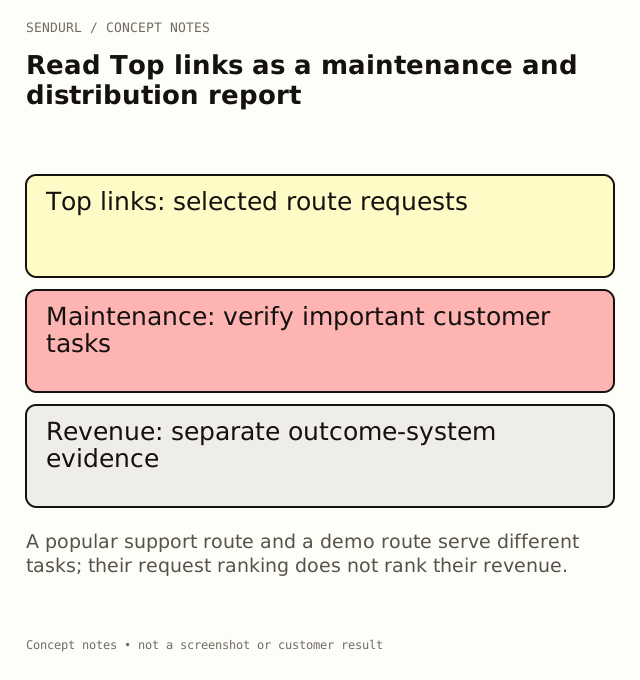
The ranked unit is route activity
SendURL’s Top links view concerns recorded requests through saved links in the selected reporting scope. The link label identifies a managed route, not an independently measured purchase, registration or activated account. A destination may serve those outcomes, but they belong to their own systems.
A title such as “checkout” does not turn its link requests into paid orders. A title such as “enterprise demo” does not qualify the people behind the requests. Keep those labels as owner-assigned context rather than evidence that the named event occurred.
Use an illustrative contrast carefully
Imagine a setup-guide route with more recorded requests than a demo-booking route in the same review period. The first may be valuable to existing customers, while the second serves a different task. Ranking them by request count does not establish which produced more revenue.
The example does not contain a measured SendURL campaign result. It illustrates a comparison problem: different tasks can reasonably have different traffic patterns. A high request count can identify a route worth maintaining without establishing that it is the stronger acquisition asset.
Check the selected inventory before comparing bars
Review the folder or link scope, dates and timezone. A launch folder and a whole organization can include different routes. If a teammate changes the selected scope between screenshots, the ranking may change even without a new distribution decision.
Also check whether several saved links point at the same destination. Separate placement routes may deliberately split one page’s activity across multiple labels. Conversely, one reused public route may combine several placements. The chart cannot reconstruct an absent placement register merely from the destination page’s title.
Investigate a sudden rise without guessing intent
A fresh email, a shared social post, a preview fetch or repeated testing can affect recorded activity. Start with the known distribution and maintenance context. Keep automated requests and team tests visible when they are relevant, but do not invent a numerical correction for activity you cannot identify.
Use referrer and QR context within their limitations. A missing referrer does not prove a person typed the route, and a marked QR request does not establish a unique camera scan by a new customer. Top links is a starting point for investigation, not a complete journey log.
Turn the ranking into an owned review queue
A highly used support route deserves a check that the destination still serves the intended product version. A route near an offer deadline deserves an approved end-state decision. A widely distributed printed address deserves continuity and proof checks when the destination changes.
Those are useful actions even when the business cannot attribute a sale to the route. Assign the relevant content or campaign owner and record the observed result. The report’s value can be maintenance triage, not only conversion reporting.
Compare outcomes using the right denominator
If the question is registration success, define completed registrations in the booking system and specify the relationship to each route. If it is website engagement, use the website system’s session or event definitions. Keep the dates and timezone aligned before explaining a difference.
Do not divide unrelated totals into a polished percentage and call it conversion rate. State the scope, denominator and attribution assumption. A request-based ratio may be useful for a defined task, but it is not automatically a person-level probability of purchase.
Know the reporting window you can revisit
Free’s dashboard history is seven days; paid tiers provide longer histories. Schedule the review within the available period or choose a suitable plan. An all-time link endpoint and a date-scoped dashboard report are different observations, even when both display a click total.
Compare history windows and advanced analytics when the team needs a reproducible recurring report. Payment changes available features and limits, not the meaning of the ranked unit. A higher plan does not make Top links a native revenue-attribution report.
Create maintained placement routes in SendURL when a clearer inventory will support those decisions. Link Analytics vs Google Analytics and How to Measure Click-Through Rate explain the separate measurement definitions.
Frequently asked questions
Is the top link the page with the most revenue?
Not established by this view. It ranks recorded route activity; revenue needs the commerce or attribution system’s evidence.
Can one destination appear under several saved links?
Yes. Separate placement routes can point to the same page and produce separate route labels.
Does a quiet link mean the destination is useless?
No. Consider distribution, task, audience and reporting scope before interpreting its count.
What is a practical action from Top links?
Inspect and maintain important routes, then use the appropriate destination-system evidence for business-outcome decisions.
Start tracking links free.
Create your first short link with click analytics in seconds. No credit card, no sign-up to start.