A weekly link review that ends with a decision
Summarize the selected links, explain any measurement limits and assign one next action. A weekly review should help somebody decide what to maintain, test or investigate.
A weekly report can become a screenshot ritual: someone pastes a rising chart into chat and everybody moves on. A useful link review asks what changed, whether the count means what the team thinks it means, and which person will do something about it.
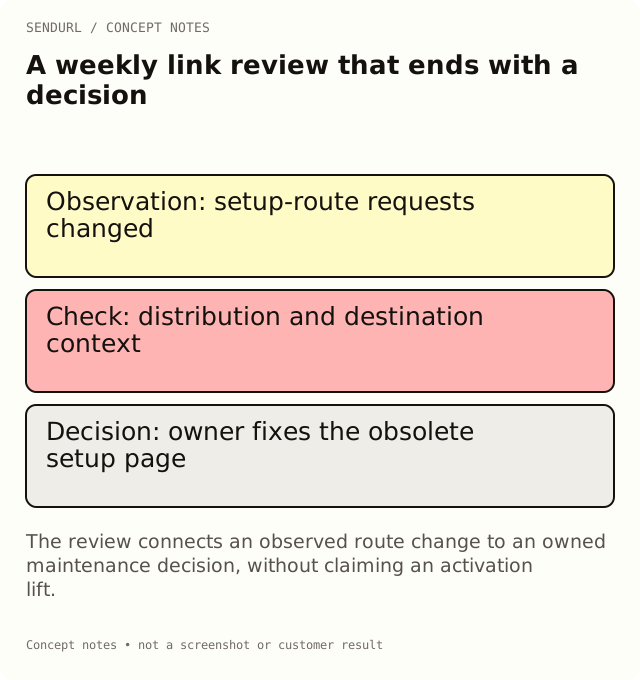
Choose the review question first
For a hypothetical resource newsletter, the question is whether readers are reaching the setup guide from the primary email button. That is narrower than “Is marketing working?” The review can use link activity to investigate the route while leaving successful setup to the application’s own event.
Review question:
Links or folder included:
Start/end and timezone:
Report source and export/reference:

Observed route activity:
Destination outcome, from its own system:
Known test requests, previews or collection gaps:
What changed in the destination or distribution:

Interpretation supported by this evidence:
Interpretation we cannot support:
Next action, owner and due trigger:
What we will compare at the next review:
Turn a chart into a bounded observation
Suppose the email link has more requests after a reminder was sent. Write that the selected route recorded more requests in that interval. Do not conclude that the reminder produced more activated users without the application’s activation evidence.
Check whether the team made a test request, updated the destination or reused the same link elsewhere. These observations can explain the route’s context. They do not need to become a long excuse list; include the limits that could change the current decision.
Assign an action at the right surface
If the link opens an obsolete setup page, give the destination owner a maintenance action. Editing the saved destination requires Pro+. If the route is sound but the setup task remains confusing, the application or documentation owner has the next action. Buying more link analytics does not itself repair that task.
If a Free account is used, schedule the review within its seven-day dashboard history. A longer reporting cadence needs a deliberate data-retention plan or a plan with a suitable history window. Keep a dated export or report reference rather than relying on a chart that will later show a different period.
Make the next review reproducible
End with an explicit comparison, such as “repeat the same scoped review after the corrected setup page is distributed.” Keep the window and timezone visible. When the baseline changes, say so instead of drawing an apparently continuous trend from different scopes.
Create a SendURL account for the maintained resource links if the team needs a shared inventory. Begin with a small folder and useful titles; a larger number of labels is not a substitute for a defined review question.
A guide for reading the time series
Clicks Over Time: Reading SendURL’s Analytics Charts explains buckets, scope and the limits of interpreting a rise.
Frequently asked questions
Does the weekly total need to be bigger than last week?
No. A useful review can find a broken route, document a quieter distribution period or decide that no change is needed.
Can one chart establish which message persuaded someone?
No. It records activity through the selected routes. Persuasion and completed outcomes need other evidence.
What belongs in the action field?
A specific change or investigation with an owner and a review trigger, not “increase engagement” without an observable task.
Start tracking links free.
Create your first short link with click analytics in seconds. No credit card, no sign-up to start.