Give a printed QR code a useful readable fallback
A readable address gives the customer another way to reach the promised resource when scanning is unavailable or inconvenient. Choose and test that address as carefully as the QR artwork itself.
A customer has the product card but cannot scan its code in the current situation. Perhaps the camera is unavailable, the surface is damaged or the person prefers to type the address. A useful fallback explains the task and provides a maintained route rather than leaving the symbol as the only instruction.
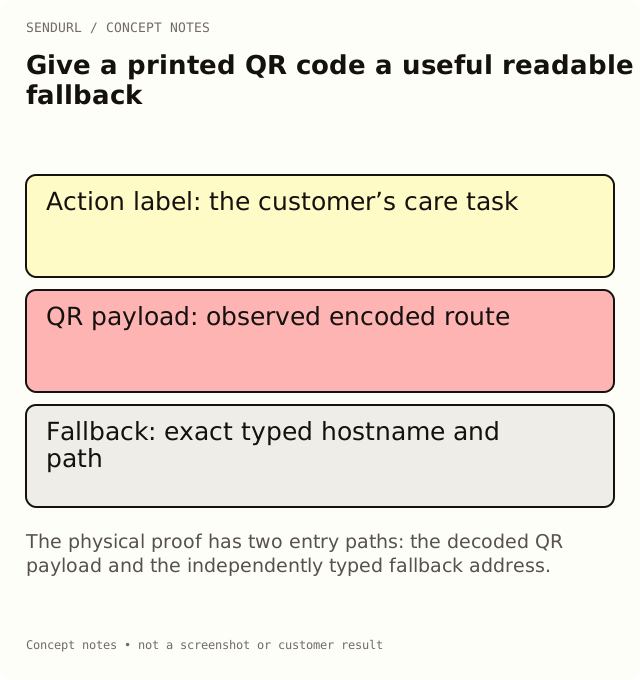
Make the action understandable without decoding
A QR image does not tell a reader what will happen when it is scanned. Pair it with a concise action label, such as an appropriate setup or care task, and a readable address. The label should match the destination, not merely say that a code exists.
For an illustrative care card, “Read the care instructions” describes a useful action. A label promising a discount would be wrong if the same route opens a maintenance guide. A successful technical scan would not repair that promise mismatch.
Choose an address somebody can transcribe
A short, meaningful path can help a person read the route from paper. SendURL permits custom slugs of 1–256 letters, digits, underscores or hyphens when creating an owned link, subject to reserved names and availability. The maximum supported length is a validation limit, not a target for print.
Compare candidate spellings in the actual typeface and size. Case-sensitive paths, visually similar characters and punctuation can create transcription errors. Do not silently change the case of the approved route while designing the fallback. Verify the exact address you intend to print.
Keep the fallback and the QR route aligned
In a simple workflow, both should lead to the same appropriate resource. Record the exact address encoded in the symbol and the exact text printed beside it. If they intentionally differ, document why and make sure both paths fulfill the customer’s task.
SendURL uses the presence of ?q on its QR route to mark the request as a scan. A manually typed ordinary short address may therefore be classified differently from the marked QR request. That distinction can be useful, but do not misrepresent the two entry paths as the same measurement event.
Work through a practical proof review
Imagine a card whose QR opens the approved setup page, while the fallback has a capital letter where the saved slug uses lowercase. One review method passes: the code scans. The second fails: the typed route does not select the intended address. Both observations matter because both are entry points on the same object.
Correct the artwork and test a new proof. Do not claim that editing the destination fixed the wrong printed characters; the incorrect address may never reach that saved link. Preserve the approved file version and the reviewer’s actual observations.
Test typing separately from scanning
Ask a reviewer to read and type the printed fallback from the physical proof without copying it from a digital source. Check the destination and the intended task. Then scan the proof and verify that path separately. A copied address in a design document is not the same test.
Use representative lighting, distance and material when assessing readability. Do not make a universal accessibility or scan-compatibility claim from one device or one person’s successful test. Record what you actually checked and any limitations that remain.
Provide a useful destination for a late reader
The fallback may remain in circulation for the life of a box, manual or support card. Give the saved route an owner and a review trigger. A future page migration should not make the address an unexplained dead end.
Pro+ can edit the stored destination while retaining the public route. That does not change the characters printed on old material or move the link to a different short hostname. Compare destination editing and QR features before promising that long-lived artwork can be maintained in a particular way.
Do not turn the fallback into another barrier
If the page requires login, say so where the reader needs that context. If the task is public care information, test that it is usable without an employee’s existing session. A password-protected short link is a shared gate, not a complete document-authorization system.
For a digital page that displays a QR code, also provide an ordinary usable link where appropriate. Someone viewing the code on the same device may reasonably want to follow the route rather than photograph their screen. That is a different presentation question from a print-only fallback.
Keep the approval record about the customer task
The proof is ready when the relevant entry paths and the promised resource have been checked within the stated review scope. A neat slug and an attractive code are useful design choices; neither one establishes that the customer received the right help.
Create the owned route in SendURL before final artwork approval. Custom Short Link Slugs covers naming decisions, while QR Code Size for Print explains the physical symbol and quiet-space considerations.
Frequently asked questions
Should the readable fallback contain every tracking parameter?
Use an appropriate maintained short address when that serves the task. Keep the full approved destination mapping in the account and production record.
Does a successful scan prove the fallback was printed correctly?
No. Type the actual printed address as a separate test.
Will changing the saved destination fix a typo on paper?
Only if the printed route actually reaches that link. A wrong hostname or path can fail before the intended destination is selected.
Is a manually typed visit always classified as a QR scan?
No. SendURL marks QR requests through the presence of ?q. Preserve the distinction between the entry paths you distribute.
A QR code for every short link.
Every short link comes with its own QR code, and each scan is counted as a click and marked as a scan. Free, with no sign-up to start.