Why tag shares can add up to more than 100 percent
A link can carry several tags, so its requests can contribute to several tag totals. Read tag shares as overlapping labels within the selected scope, not as mutually exclusive pieces of a funnel.
A campaign report shows two tag categories that each account for the same requests. Adding the displayed shares appears to exceed the whole campaign. Before treating that as a calculation error, check whether the tags were meant to overlap. They often describe different aspects of the same saved link.
Tags are labels that can cross-cut a folder
A folder groups saved links around an organizing task such as a launch or a resource collection. Tags can describe properties that cut across those groups: email, support, regional or another label your team will actually use. One link can reasonably belong to several of those categories.
That flexibility is useful for retrieval and reporting, but it changes the arithmetic. A link tagged both email and support is not automatically split into two different sets of requests. The same request activity can belong to both labels.
Reason through a deliberately simple example
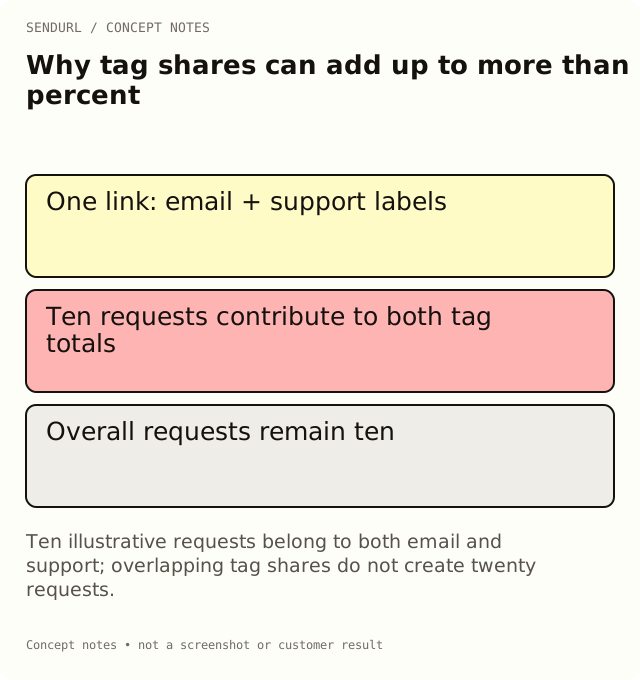
Imagine one illustrative link with ten recorded requests in the selected scope. It has two tags: email and support. Each tag’s total can include those ten requests. If each share is compared with the ten-request overall scope, each can represent 100 percent, and their sum is 200 percent.
The example is not a customer report. It demonstrates overlap without inventing a typical benchmark. The arithmetic does not imply that twenty requests occurred or that the service counted twenty different people. It says that the same observations were assigned to two labels attached to their link.
Do not read a tag chart as a funnel
A funnel usually describes an ordered progression of defined events. Tags on links are not that progression. The label trial does not establish a completed trial, and customer does not prove that a request came from an authenticated paying customer.
Name tags for the context the link owner actually knows. A route used in an onboarding email can carry an onboarding label, but completion remains an application event. Keep the outcome system separate when somebody asks whether a tag group generated revenue or activation.
Write the denominator beside a percentage
A share can only be interpreted against its stated scope. Check the folder or link selection, dates and timezone before comparing tag groups. If the denominator is overall requests, overlapping tag totals are not meant to form a disjoint pie.
Do not normalize every label down until the shares sum to 100 without explaining that transformation. That can hide the fact that the labels answer different questions. If a report needs mutually exclusive channel categories, define a different classification rule and preserve the distinction from the product’s tag observations.
Decide when an untagged group is informative
A link without tags may appear as untagged in the relevant report. That does not mean the route is broken or unattributed in every other system. It means the saved link lacks those organization labels.
Use the group to identify an inventory task when missing labels matter. Do not fill every blank with a speculative audience category merely to make a dashboard look complete. Sometimes a link intentionally has no useful cross-cutting label, and its folder or title already supplies the necessary maintenance context.
Keep a small, defined vocabulary
Free supports five tags per organization; paid plans support unlimited tags. Unlimited capacity does not create a reason to invent unlimited categories. A short naming dictionary with an owner and a definition can prevent support, help and customer-care from becoming accidental synonyms.
Review the vocabulary around actual retrieval and reporting decisions. If nobody can explain what a label changes in the next action, it may be clutter rather than useful context. Avoid renaming established tags during a sensitive report without retaining the earlier meaning in the report record.
Verify a tag report against one known route
Choose a synthetic or otherwise appropriate saved link, inspect its assigned tags and select the corresponding reporting scope. Compare that known labeling with the resulting groups. The exercise verifies how labels contribute; it does not demonstrate that a real customer belongs to those categories.
For business reporting, keep requests, approximate unique visitors, sessions and conversions under their own definitions. A tag total should not silently change which unit the team thinks it is reading.
Review tags, analytics and history in the plan comparison, then create a SendURL account for the maintained inventory if the workflow needs it. Folders and Workspaces: Organize Your Short Links explains the broader organization model.
Frequently asked questions
Is a combined tag share over 100 percent always an error?
No. Tags can overlap, and the same link’s requests can contribute to multiple tag totals.
Can I use tags as conversion stages?
Only as your own labels, not as evidence that those stages occurred. Record completed events in the system that measures them.
Does unlimited tagging mean a paid report becomes more accurate?
No. More labels increase capacity, not evidence quality. Definitions and consistent scope still determine what the report can support.
What should I check first when a share looks wrong?
Inspect the link’s tags, the report scope and the denominator. Establish whether categories overlap before changing the arithmetic.
See where your clicks come from.
Every short link tracks clicks by country, device, browser and referrer, on the Free plan too. No credit card, no sign-up to start.