Keep QR artwork and its declared destination in the same archive
Store the approved artwork version, decoded payload and declared destination together. A filename such as final.svg is not enough to identify a printed customer route later.
Six months after a packaging run, somebody finds three files named “final.” One opens a setup guide, one opens a temporary sale and one cannot be traced to an approved print. A QR archive needs to preserve what the file actually encodes as well as what the team intended it to do.
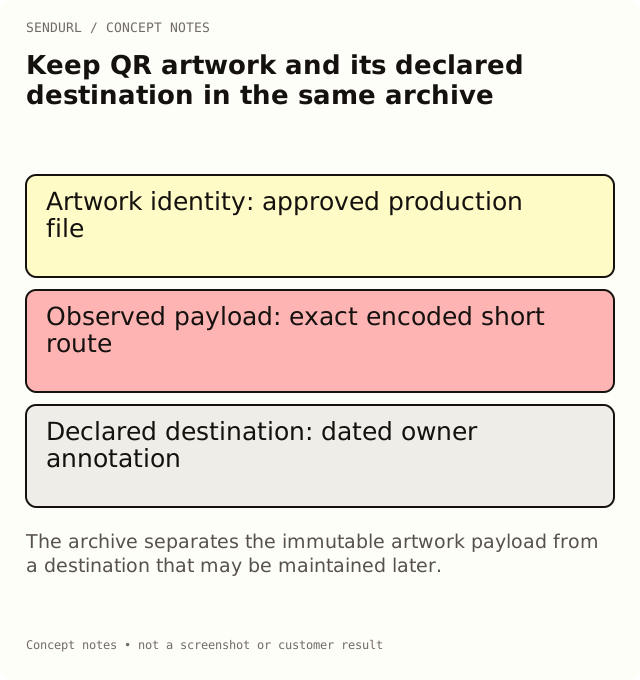
Give each approved asset an identity
Use a stable artwork reference and keep the production file unchanged after approval. A checksum can help distinguish bytes, but it does not establish that the encoded route is correct or safe. Keep the business approval and the technical observation as separate fields.
asset_reference,file_reference,decoded_payload,declared_destination,placement,owner,approval_reference
care_insert_v3,[approved SVG],[payload read from artwork],https://example.org/care,Carton insert,Support owner,[physical proof record]
setup_poster_v2,[approved PDF],[payload read from artwork],https://example.org/setup,Partner classroom,Enablement owner,[physical proof record]
Check the payload before explaining it
For an illustrative care insert, decode the final artwork with the QR code scanner and compare the payload with the approved source. If it contains the saved short route, record that route exactly. The current destination belongs in a different column because it may later change on a Pro+ account.
A declared destination is an annotation, not evidence that the file was decoded or that the page was tested. Do not populate the payload cell from a designer’s email and mark it observed. If the code cannot be read, keep the observation unresolved and obtain an appropriate source or print proof.
Preserve artwork after a routing change
Editing a saved destination does not change the pixels in an archived SVG or a box already printed. That separation is useful for maintenance, but it also makes the change record important. Keep the prior mapping and the time of the approved edit beside the asset reference.
Plan appearance also needs a version. Free organization codes carry the SendURL mark; Pro+ removes that mark from new account downloads. Upgrading does not repaint a carton that is already in circulation. Archive the exact file that went to print, with its style and plan at export time, rather than regenerating it later and assuming it matches.
Make the archive retrievable by placement
A support colleague is more likely to know “the card in the blue carton” than an internal file hash. Keep placement, owner and product/version context searchable. Link the physical print-proof record rather than mixing all observations into a filename.
Compare maintained destinations and QR features when planning a long-lived asset. Create the saved route in SendURL before approving its artwork, then retain the approved file and its evidence outside the link inventory.
Related production guidance
QR Code Size for Print covers the physical proof. This register is the archive that lets a later reviewer find that exact approved asset.
Frequently asked questions
Can the filename prove where a QR code goes?
No. Decode the actual asset and record its payload separately from the filename and the intended destination.
Should I replace old artwork when the destination changes?
Preserve the approved production version and document the routing change. Create a separately identified file when the artwork itself changes.
Does a file checksum approve a destination?
No. It helps identify bytes; business approval, decoding and a route test are different evidence.
A QR code for every short link.
Every short link comes with its own QR code, and each scan is counted as a click and marked as a scan. Free, with no sign-up to start.