Why an A/B traffic split does not exactly match its weights
Weights describe how eligible visitors are allocated, not a promise that every short reporting window will contain matching request totals. Sticky browsers, repeat requests, device targets and scope all affect what you observe.
A 50:50 destination test shows different request totals for A and B. It is tempting to change the weights until the bars look equal. Before doing that, check which requests are eligible for the split and what the report counts. A neat pair of percentages is not the experiment’s business outcome.
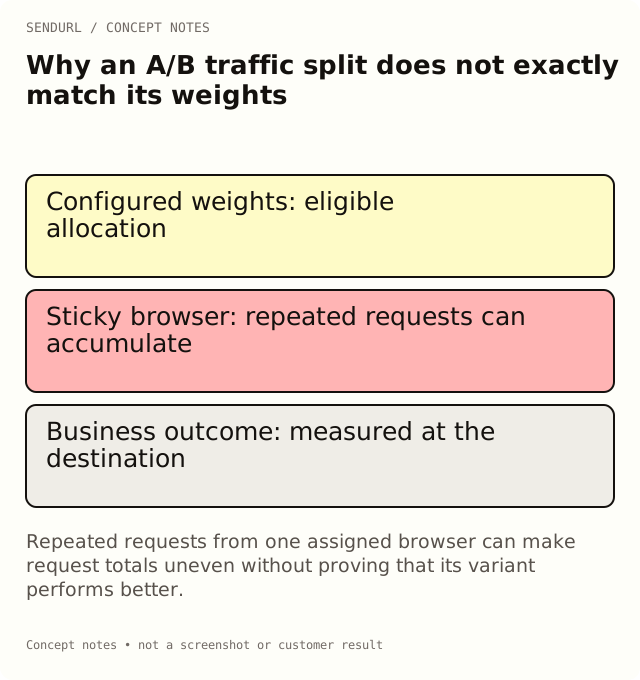
Weights are allocation instructions
SendURL’s variant weights are integer percentages from 1 to 99 that sum to 100. They express the intended allocation for the configured test. They do not require every short sample of requests to divide exactly into those proportions.
Even without a product error, a small observed sample can differ from the intended weights. Do not promise that each pair of requests will alternate destinations or that the first ten requests must produce five observations in each variant. Those are stronger rules than weighted allocation provides.
A browser can keep its assigned variant
A test uses a per-link cookie to keep a visitor’s browser on its assigned variant for 30 days. That continuity helps avoid showing a different destination every time the same browser returns. It also means repeated requests from that browser can accumulate on one variant.
The browser behavior is not a verified human identity. Clearing cookies, using another browser or changing request context can change what the system can associate with an earlier assignment. Avoid using the cookie as proof of a named individual’s repeat visits.
Compare two illustrative sequences
Imagine that one browser assigned A follows the link several times while another browser assigned B follows it once. The request totals can favor A even though the example began with one assigned browser in each group. This is a reasoning example, not an observed SendURL result or a benchmark.
Now imagine a reporting window chosen just after a message was shared. Preview requests, tests by the campaign team and a small eligible audience may dominate the early activity. The right response is to identify the relevant request paths and follow the written observation plan, not to declare a winner from the first visible difference.
Not every request uses the ordinary split
Mobile app targets take precedence on applicable phones. Recognized bots receive the stored destination rather than being treated as ordinary participants in the variant split. A custom preview can also be served to a recognized unfurler before other human routing behavior.
Verify these combinations before the experiment starts. If most of the intended audience uses a configured app target, a destination-page test may not receive the traffic you expected. That is a design question for the test, not necessarily a failure of the weight editor.
Check the scope and the test’s timing
Select the saved test link, review the reporting window and note when the running test started. A wider all-time link count can include activity outside the current experiment. Keep those observations distinct when explaining the variant report.
If a page fails during the test, document the intervention and consider whether a fresh observation period is needed. Changing a destination, weights or distribution surface without recording it makes later interpretation harder. Do not blend different journeys into one apparently clean comparison.
Free keeps the stored destination as its control
Free allows one running test with two variants, and the stored destination must remain a variant with weight at least 50. Paid plans allow unlimited tests with up to four variants. That control rule matters when deciding which alternatives the account can actually run.
Picking a winner that changes the stored destination requires Pro+. It is not an entitlement bypass. Compare A/B testing and destination editing in pricing before promising a rollout workflow, especially when the test’s alternative must replace the current public route.
Measure the outcome at the destination
The variant request count describes route allocation. It does not establish completed purchases, registrations or setup. Define that event in the destination system and retain the attribution limits of any connection between variant and outcome.
A test can end inconclusively. Keep the question, alternatives, observation period and stopping rule available so the team can explain that result without reinterpreting a request lead as conversion lift. A written test brief is often more useful than another decimal place on a chart.
Create the owned test route in SendURL after the audience and outcome are ready. A/B Test With Short Links: One Link per Variant covers the broader experiment workflow and the difference between separate distributed links and a managed split.
Frequently asked questions
Should a 50:50 test alternate A and B on each click?
No. Do not infer an alternating sequence from the configured weights. Sticky browsers and the observed sample can produce unequal request totals.
Do app-target requests necessarily enter the page split?
No. Applicable mobile targets take precedence. Test the intended device paths before interpreting the experiment.
Can Free remove the stored destination from its test?
No. Free keeps it as a variant with at least half the weight. Changing that condition requires the appropriate paid entitlement.
Does the variant with more requests win?
Not automatically. Measure the meaningful destination outcome using the planned observation and decision rule.
Start tracking links free.
Create your first short link with click analytics in seconds. No credit card, no sign-up to start.