A website-migration map for destinations behind short links
Inventory the shared routes that point into a moving website and verify the new customer task. A short-link destination edit and a website’s permanent redirect are separate changes.
A website migration can leave printed short links pointing into a maze of old paths. Some still reach the right resource through a redirect; others end at a generic homepage. Inventory the intended destination before replacing paths, because a technically successful redirect can still lose the customer’s task.
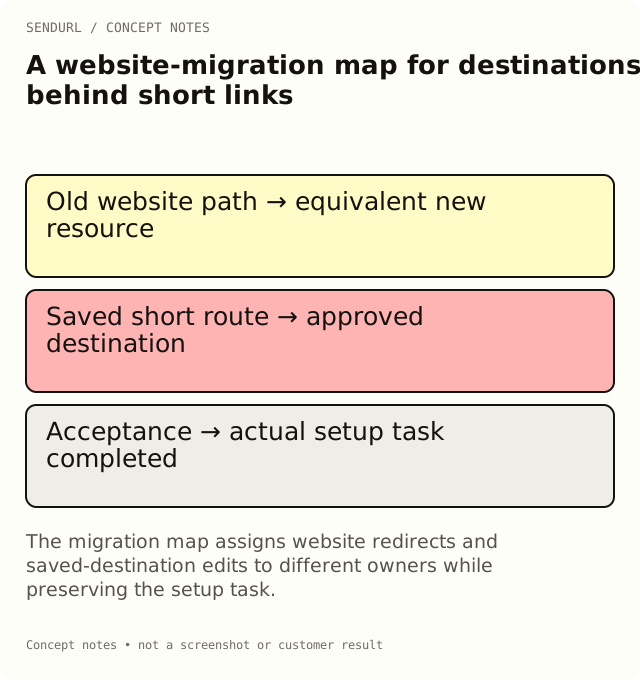
Match old resources to equivalent tasks
For an illustrative documentation move, an old setup page should reach the new setup page for the appropriate product version. Sending every old guide to the new homepage is easy to implement but may abandon the exact question the original link promised to answer.
shared_short_route,old_destination,intended_task,new_destination,website_redirect_owner,short_link_owner,verified_result
[setup route],https://example.org/old/setup,Set up model A,https://example.org/docs/model-a/setup,Web team,Support team,[observed test]
[care route],https://example.org/old/care,Care for model A,https://example.org/docs/model-a/care,Web team,Support team,[observed test]
Keep the two change mechanisms distinct
The website team may install a permanent redirect from an old website URL. The SendURL owner may change a saved destination while preserving the short hostname and slug. The first belongs to the website; the second is a Pro+ link feature. Do not describe them as one shared switch or assume the shortener publishes the website’s redirect rules.
Test both the direct old website path and the distributed short route when each remains relevant. The path a customer follows can include additional hops, and a successful final page does not establish that every hop preserved the intended parameters.
Protect attribution and access during the move
Compare the final destination’s query with the approved campaign parameters. Check login conditions and product-version context in a representative visitor session. A reviewer already signed into the new documentation system can miss an access regression.
Record any destination or UTM change with the cutover time. SendURL’s UTM statistics read the link’s current stored destination; retain the old mapping separately when earlier campaign context matters. Do not interpret a new grouping as a historical ledger of the old site’s URLs.
Approve the surviving printed route
Scan a real proof or follow an actual distributed address after the migration. Check the customer task, not merely the status code. Keep the owner who can fix the destination visible beside the website team’s redirect owner.
Review the destination-edit capability in pricing before relying on maintained short routes for a migration. Create or claim the routes into the intended SendURL organization while ownership can still be established.
Redirect background
How URL Shorteners Work: 301 vs 302, 404 vs 410 explains why redirect response types are distinct. Change Where a Short Link Points covers the saved-destination operation.
Frequently asked questions
Should every old resource redirect to the new homepage?
Choose a destination that fulfills the original task. A generic homepage can be a content failure even when it returns successfully.
Does editing a SendURL destination install a website 301?
No. It changes the stored destination of that short route. Website redirect configuration is a separate operation.
Can I move an existing short link to a new short domain?
Its selected domain is immutable. Plan a new route and distribution changes if the short hostname itself must change.
Start tracking links free.
Create your first short link with click analytics in seconds. No credit card, no sign-up to start.