A device-routing test matrix for one shared short link
Check the web destination and mobile targets as separate paths. Record the actual device context because a desktop-mode tablet or a preview bot may use the ordinary web destination.
One public link can send a phone toward an app while leaving desktop readers on a web page. That is useful only when the fallbacks remain coherent. A successful test on the developer’s phone does not establish what a preview bot, an Android reader or a tablet using desktop mode will receive.
Write the intended fallback before testing
For an illustrative support route, the web destination is a public setup page. iOS and Android targets open an appropriate app route when supported. The fallback still needs to explain the task for somebody whose request does not use the mobile target.
request_context,intended_target,observed_target,test_time,task_result,issue_owner
iOS phone,[approved iOS target],[recorded observation],[time and zone],[actual result],Mobile owner
Android phone,[approved Android target],[recorded observation],[time and zone],[actual result],Mobile owner
Desktop browser,[stored web destination],[recorded observation],[time and zone],[actual result],Web owner
Tablet in desktop mode,[stored web destination],[recorded observation],[time and zone],[actual result],Web owner
Recognized preview or search bot,[stored web destination],[recorded observation],[time and zone],[actual result],Link owner
Distinguish detection from app success
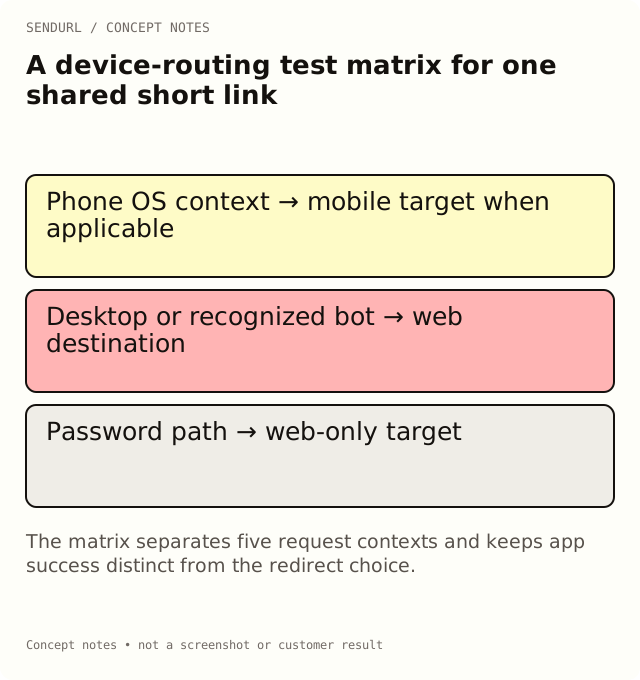
SendURL selects mobile targets from the request’s recognized operating-system context. Recognized bots and ordinary desktop contexts use the stored destination. A desktop-mode tablet can be treated as desktop by design. Do not infer the chosen path solely from the physical device name.
Then verify what happens after the redirect. Choosing an app target is not proof that the application is installed, that the requested screen exists or that the user completed setup. Those observations belong to the app and its supported linking behavior.
Include the password condition
A password-protected route sends visitors only to a web target after the password step; non-web custom-scheme targets are not used there. Test that combination explicitly if the campaign uses a password. A successful open of an unrestricted app link is not evidence for the password-protected journey.
Mobile targets are available across plans, while changing the stored web destination after creation requires Pro+. Check pricing for the distinction between mobile targets and destination editing instead of treating every routing field as the same entitlement.
Test the actual distribution format
Scan the final QR or follow the delivered message on each representative context. Both use the saved route, but the surrounding application can affect how the request is made. Record the actual observed target and any limitation; do not mark an untested row as passed because another device succeeded.
Create the owned route in SendURL under the team responsible for its web fallback. The SendURL REST API reference documents the supported mobile fields and validation; the matrix does not promise a native app-install attribution service.
Frequently asked questions
Does the same phone always select the same mobile target?
Not necessarily. Request identification and the application’s browser mode matter; record the actual context you tested.
Can a preview bot exercise the app screen for me?
No. Recognized bots use the ordinary destination. Test the app journey on an appropriate real client.
Does an app-target redirect establish an installation?
No. Routing and installation attribution are separate observations.
Start tracking links free.
Create your first short link with click analytics in seconds. No credit card, no sign-up to start.