A custom preview approval record for shared short links
Approve the card’s public promise separately from the destination and its access controls. Keep evidence of the source version and the social app’s observed cached card.
The landing page is correct, but the shared card still advertises an old offer. Another team changes the card image and assumes that every existing message has been repaired. A preview approval record separates the current configuration from what an app actually displayed during a test.
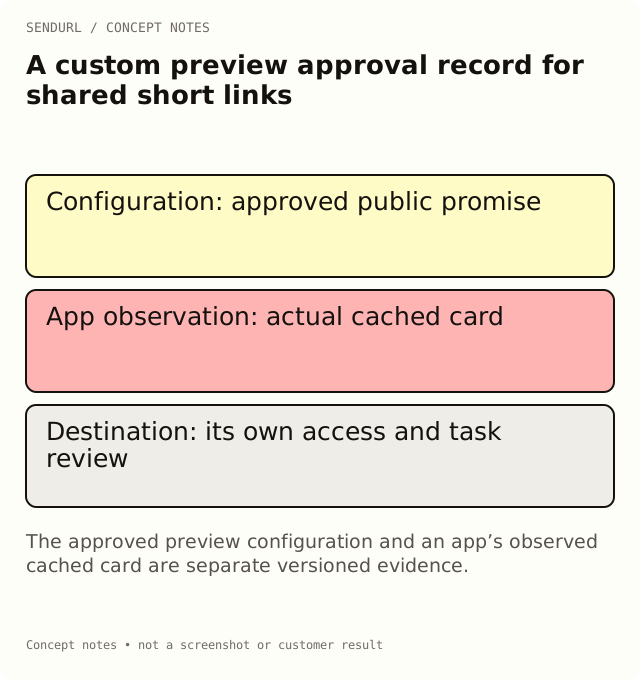
Review the public promise of the card
For an illustrative training resource, the title says “Set up your first workspace,” the description explains the task and the image shows a neutral product illustration. None needs to reveal an internal customer name or a private document title. Review the card as something that can be forwarded beyond the original recipient.
Saved short route and owner:
Preview configuration version:
Approved public title:
Approved public description:
Approved image reference and alternative/context:
Destination promised by the card:
Password or other access condition reviewed separately:
App and message/post used for the observed test:
Observed card and time:
Cache-refresh process used, if any:
Open mismatches and approving reviewer:
Test the exact short address
SendURL custom previews are served to recognized social and chat unfurlers. Search bots follow the ordinary redirect path instead. A browser visit to the short address is therefore not the same observation as a messaging app fetching its card.
Use the link preview checker to inspect supported metadata and keep the result distinct from a real app observation. It makes requests and can affect a short link’s count. The app may cache a different earlier card, so record the app, route and time of your test.
Keep the password boundary visible
A stored custom preview can be public before the human visitor reaches a password form. The password does not make the card confidential. For a private proposal, use a neutral card and verify document authorization in the destination’s own system.
Free allows one saved link with a custom preview; paid plans allow previews on every link. Setting a password is Pro+. Compare these separate features in pricing before committing to a workflow that depends on both.
Record a repair as a new observation
If a cached image persists, use the social service’s current supported refresh or inspection process where available. Do not promise that an edit will repaint all old messages immediately. Keep the approved configuration and the observed card side by side until the discrepancy is understood.
Create a SendURL account for maintained shared cards with a named resource owner. That ownership is more useful than repeatedly replacing a short URL without preserving which card version was intended.
Why the count may move during review
Bot Clicks and Link Previews explains why an unfurler’s request may appear before a person follows the link. A successful card render does not establish a human visit or a conversion.
Frequently asked questions
Will changing the preview update every old post immediately?
No. Apps have their own caches and refresh behavior. Verify an observed card rather than assuming an instant global update.
Can I put a confidential proposal title in a password-protected link’s card?
Do not rely on the password to hide it. The custom preview is a separate public surface.
Does a search bot get the same custom card response?
No. Search bots follow the ordinary redirect path; recognized social and chat unfurlers receive the stored preview.
Start tracking links free.
Create your first short link with click analytics in seconds. No credit card, no sign-up to start.