Define requests, sessions and orders before your campaign report
Write the event definition, reporting window and evidence source for each metric before comparing it. This worksheet prevents a click total from quietly becoming a customer or order total.
A launch report arrives with three plausible totals and one impossible heading: “customers.” One number came from a short-link report, another from website sessions and another from the store. They describe different events. Before arguing about the discrepancy, agree what each column actually measures.
Put the definition beside the number
The following contract is deliberately a small table rather than a universal dashboard schema. Fill it with the systems your team actually uses. An unavailable conversion record is an explicit gap, not a reason to rename a request.
metric,event_definition,system,scope,window,timezone,known_limit,owner
link_requests,Recorded requests through selected saved links,SendURL,Launch folder,[start and end],UTC,Automated requests can appear,Campaign owner
website_sessions,Session definition used by the site property,[website analytics],Approved campaign destinations,[matching window],UTC,Consent and attribution affect visibility,Analytics owner
paid_orders,Orders meeting the store's paid status,[commerce system],Approved products,[matching window],UTC,Refund treatment needs a separate rule,Commerce owner
Work through a disagreement honestly
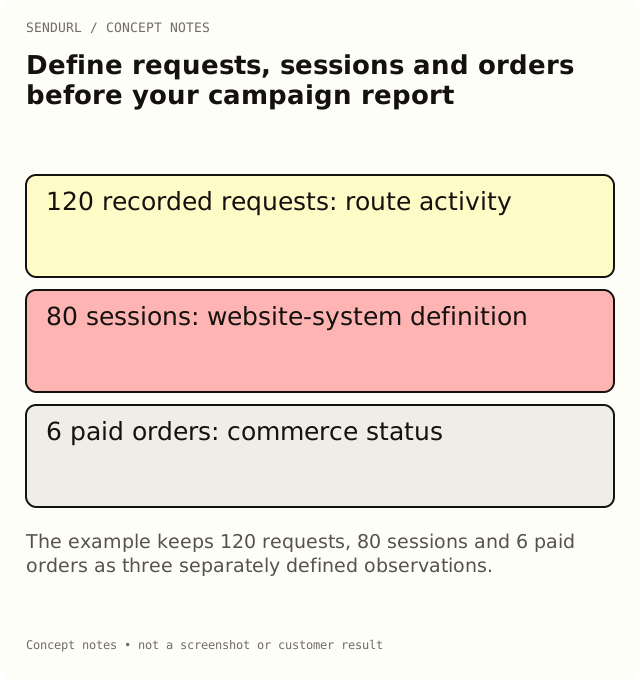
Use an illustrative example: 120 recorded requests, 80 website sessions and 6 paid orders in the same review window. Those figures are invented for this explanation, not a SendURL benchmark. They do not prove that forty people abandoned the page or that every order came from the short link.
First compare scope. A folder may contain two landing pages while the website export covers only one. Then compare dates and timezones. Finally examine differences in event definitions and collection. A security fetch can request a route without opening a measured website session; a purchase can be recorded under another attribution path.
Preserve the system that owns the event
Do not replace the store’s order status with a manually inferred conversion in SendURL. If you use a source label to join reports, document the join and its limitations. A shared label is context, not identity proof that the same individual generated both rows.
On Free, the dashboard’s analytics history is seven days. Plan the review inside the available window or choose a paid plan with the history your review needs. Compare the current history and advanced analytics features; an account’s all-time link endpoint is not interchangeable with a date-scoped dashboard report.
Verify the first finished report
Pick one column and ask another teammate to reproduce it using the stated system, scope and time settings. If that is impossible, the contract needs another detail before the report is approved. Keep the exported observation alongside the report so later label changes do not silently rewrite your explanation.
Save the campaign links in a SendURL account when a stable route map will help the next report. The account supplies link activity; your contract supplies the boundaries of the claims you make from it.
Definitions to read alongside the worksheet
Link Analytics vs Google Analytics: Why the Numbers Differ and What SendURL Records for Every Click explain the distinct observations.
Frequently asked questions
Can I calculate conversion rate from these three totals?
Only after defining the denominator, scope and attribution rule. Dividing orders by requests does not establish a person-level conversion rate.
Should unknown orders be entered as zero?
No. Zero means an observed count. If the store export is unavailable, record that the outcome is missing.
Why record a timezone when the dates look the same?
Day boundaries can differ. Two exports labelled Monday may cover different instants unless their timezone settings agree.
Start tracking links free.
Create your first short link with click analytics in seconds. No credit card, no sign-up to start.