A link retirement inventory for a campaign that has ended
List what is still distributed before disabling or deleting a campaign’s links. Ending an offer and destroying access to a useful resource are different decisions.
The campaign is over, but a post is still searchable, a box is still on a shelf and a partner has saved the QR image. A retirement inventory starts with those surviving placements. Without it, “cleaning up old links” can unexpectedly break a customer task that still matters.
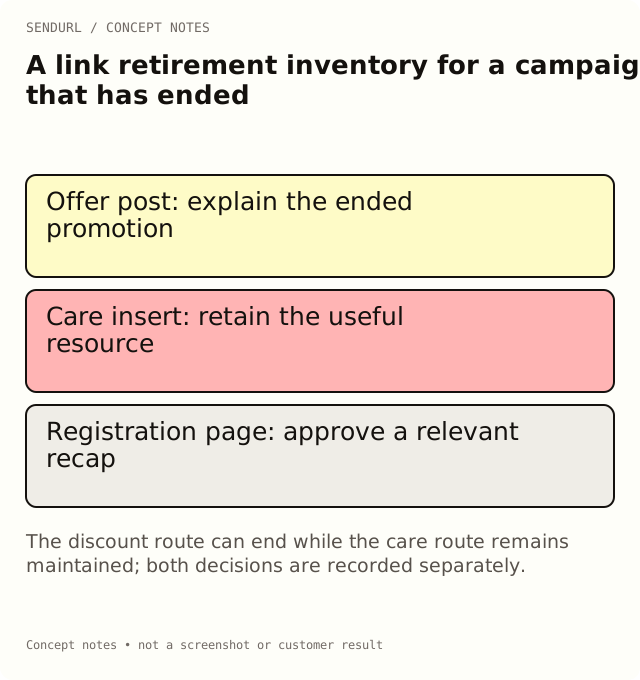
Decide the fate of the promise
For an illustrative product launch, the discount is finished but care instructions remain useful. The promotion route may need to explain that the offer ended; the care route may need ongoing maintenance. Avoid applying one bulk action merely because both links sit in the launch folder.
saved_route,remaining_placement,original_promise,proposed_end_state,owner,review_evidence
[offer URL],Searchable launch post,Launch discount,Explain ended offer,Campaign owner,[approved page and test]
[care URL],Printed box insert,Product care,Keep maintained care resource,Support owner,[proof scan and page review]
[registration URL],Partner event page,Live registration,Provide relevant recap,Event owner,[page approval]
Understand the available actions
Disabling a link stops that route and can be reversed by its authorized owner when appropriate. Expiry is a planned time-based stop and requires Pro+ to set or change. Editing a destination to a recap or support page is also Pro+. Neither operation is the same as deleting the record.
Paid link deletion is a soft delete: the slug stays taken and the link still counts toward the limit. Free accounts disable rather than delete. Do not write “delete to free a slot” into a retirement procedure; that would promise a quota behavior the product does not have.
Verify the reader’s late visit
Open a real surviving placement after the action. If the post still promises an offer, check whether the destination explains its status clearly. If the care card should remain useful, scan its physical proof and complete the expected task. Record the observation and the next review trigger.
Keep a small record of the decision even when the link disappears from normal live-link views. A missing row in a later report does not establish that the old placement never existed or never received requests.
Make maintenance a named obligation
A retained support route needs an owner who will notice a documentation migration or a changed product. An “evergreen” label does not create that responsibility. Set review triggers around actual page changes and reprints rather than assuming a link remains correct indefinitely.
Compare expiry and destination editing in SendURL’s plans before promising the campaign’s end behavior. Set up the route inventory in an account while ownership and the relevant material are still available.
Read before choosing deletion
Disable a Short Link Without Deleting It and Expiring Links describe the supported lifecycle controls.
Frequently asked questions
Does ending a campaign require deleting its links?
No. Choose an end state that fits the remaining reader task and the account’s supported controls.
Will a deleted link’s slug become available again?
No. The retained row keeps the slug on that domain, and deletion does not reclaim link quota.
Can an ended offer point to a relevant explanation?
A Pro+ destination edit can maintain the public route. Check that the replacement honestly addresses the original promise.
Start tracking links free.
Create your first short link with click analytics in seconds. No credit card, no sign-up to start.