A webinar link rundown from invitation to replay
Plan the invitation, registration and late-reader routes together. Record completed registrations in the booking system and keep an explicit decision for links that survive the live event.
A webinar’s registration link appears in an email, a partner post and a presenter’s profile. After the session, those placements remain visible while the form may stop accepting registrations. A link rundown connects the live invitation to the later customer task without treating every request as an attendee.
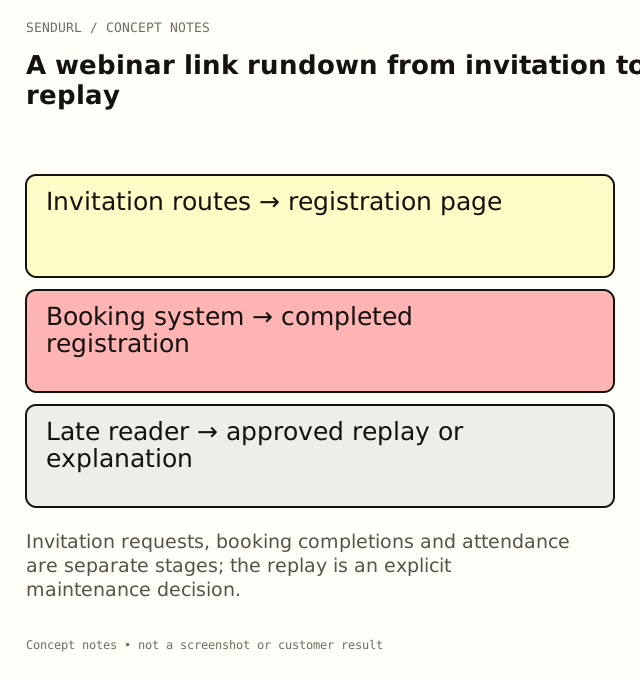
Map stages instead of collecting URLs
For an illustrative technical demonstration, the invitation promises a live walkthrough. The booking system owns completed registrations; the webinar platform owns attendance evidence. After the event, the surviving route might offer an approved replay or explain that registration has ended.
stage,placement,saved_route,promised_destination,outcome_system,owner,end_decision
Invitation,Newsletter,[email route],Registration page,Booking records,Event marketing,Review after live event
Invitation,Partner post,[partner route],Same approved registration page,Booking records,Partner owner,Review after live event
After event,Surviving invitation,[maintained route],Approved replay or event explanation,Replay system,Content owner,[approved decision]
Test the registration as a visitor
Follow the delivered invitation, complete an approved synthetic registration and verify that the expected confirmation arrives through the booking workflow. Note the test in that system. A short-link request is only the earlier route observation; it does not establish that the form completed or that the person later attended.
If a partner copies the public address into another surface, retain that distribution context where known. Referrer data may be missing, so do not expect one shared link to reconstruct every partner placement automatically.
Schedule the late-reader decision
Choose who approves the replay or ended-event page and when. Editing a saved destination after creation is Pro+. If the workflow uses a link expiry, setting or changing that control is also Pro+. Review the relevant plan features before promising a single address that will change from registration to replay.
Avoid a silent redirect to an unrelated sales page. Somebody following an old invitation should receive a page that addresses the original event promise honestly, even when the live session is no longer available.
Close the event report without merging definitions
Record route requests, completed registrations and attendance as distinct metrics with their own windows and systems. Label the report’s timezone. For a Free account, plan the link review inside the seven-day dashboard history or use an appropriate longer-history plan.
Save the event placement links in SendURL once the form and owners are approved. Keep the rundown with the event record so the replay decision does not depend on somebody remembering a launch-day conversation.
Measurement reference
How to Track Link Clicks explains route activity. The registration and webinar systems remain authoritative for their own completion events.
Frequently asked questions
Are all registration-link requests registrations?
No. Form completion belongs to the booking system, and attendance belongs to the event platform.
What should an old invitation open after the event?
Use an approved replay or an explanation relevant to the original promise. Decide the destination and owner before the event closes.
Can Free retarget the invitation to the replay later?
Ordinary saved-destination edits require Pro+. Plan the supported workflow before publishing the invitation.
Start tracking links free.
Create your first short link with click analytics in seconds. No credit card, no sign-up to start.