The same custom slug can exist on different short domains
A short route is identified by its hostname and slug together. The same path can exist on separate domains, while a collision on the same domain is refused; keep the full address in inventories and print approvals.
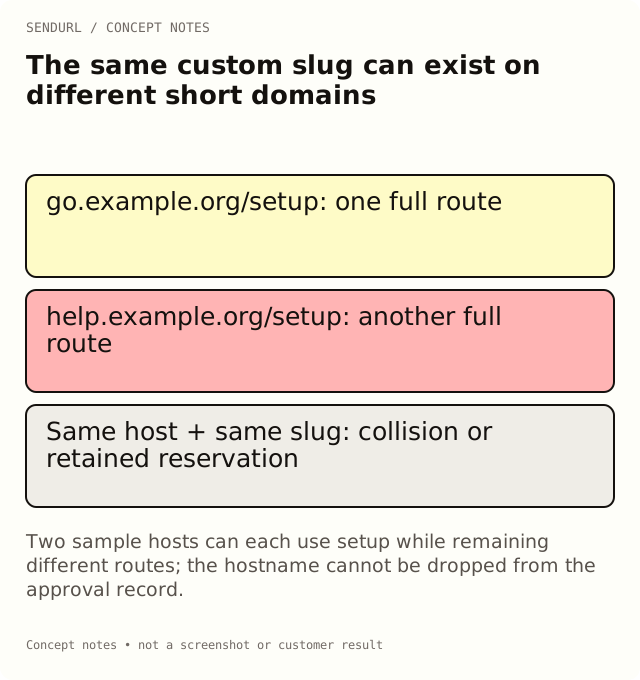
Two teams both ask for /setup, but they use different approved short hostnames. Another team tries to recreate a deleted /setup on its original host and receives a collision. These cases are not contradictory: the hostname is part of the route’s identity, and deletion does not release the retained slug.
Treat the full short address as the identifier
A path alone is not enough to describe a branded short link. The host and slug together select the intended route. An inventory that records only setup can become ambiguous as soon as the organization uses more than one short hostname.
For an illustrative example, go.example.org/setup and help.example.org/setup can be different routes under separately configured domain contexts. The examples are placeholders, not availability claims. Each address needs its own approved destination and maintenance owner.
A collision is evaluated on the same domain
SendURL refuses a custom-slug collision on the selected domain. The same slug may exist on the default apex and on another configured domain without being the same route. Do not attempt to fix a collision by changing an unrelated destination field or guessing that a different folder creates a new slug namespace.
Folders organize links; they do not make the same hostname/path combination available twice. Tags likewise do not change that identity. Choose the selected domain deliberately before approving the path in artwork or a distributed message.
Deleted links still retain their paths
A deleted saved link keeps its slug on its domain and still counts toward the organization’s link limit. It is not a temporary reservation that becomes reusable when the row disappears from ordinary live-link views.
This matters when a team plans annual reuse of a memorable path. Review the lifecycle and maintenance requirement before creation. A Pro+ destination edit can maintain the existing public route, but deleting it and recreating it is not an equivalent supported procedure.
Creation rules and readability are different tests
Custom slugs use 1–256 permitted characters: letters, digits, underscores and hyphens. Reserved names are refused, including protected route names such as health or api, with reservation checks not bypassed by changing their case.
A path passing validation is not automatically a good printed fallback. Case-sensitive spelling, ambiguous characters and unnecessary length can make a technically valid address difficult to transcribe. Review the actual typeface and object rather than treating the maximum length as a design recommendation.
Work through a two-domain handoff
Imagine an installation sheet using a help hostname and a launch invitation using a marketing hostname. Both may use a meaningful short path if each is available on its selected domain. The handoff should preserve the exact full address beside the resource’s task and owner.
If a designer copies the marketing hostname into the support artwork, the path can look correct while selecting a different route. Test the final encoded QR payload and the printed fallback separately. A successful test of the path on one host does not approve it on the other.
A destination edit does not move the namespace
An existing link’s selected domain is immutable. Editing its destination on Pro+ changes the target behind that same hostname and slug. It does not rename the public address or transfer it to a new short host.
If the brand needs a different hostname, plan a new route and account for the old distributed material. Removing and re-adding a domain is not a shortcut; old links are not automatically attached to the new domain record. Keep continuity separate from the visual naming decision.
Verify actual creation before distribution
A proposed slug in a spreadsheet is not a created link. Use the supported creation flow, inspect the returned or displayed full short address and follow it to the approved destination. If creation was rejected, keep that refusal visible and choose the next approved candidate.
Do not copy a speculative URL into an email while assuming the script will create it later. A generated-looking address can already belong to another route or fail entirely. The publication process should use the actual approved result, not just the intended spelling.
Choose a maintained naming policy
Keep a small naming record that includes the domain, slug, resource task, owner and lifecycle decision. Use ordinary routes where a custom path adds no real reader benefit. More named variants are not automatically better attribution, especially when they describe the same task without useful distinctions.
Review custom domains, inventory limits and destination editing before committing a long-lived naming scheme. Create owned links in SendURL when custom slugs and accountable maintenance fit the task. The custom-slug guide covers naming in depth, and the SendURL API reference specifies creation validation and collision responses.
Frequently asked questions
Does another folder make /setup available again on the same hostname?
No. Folder organization is separate from the domain-and-slug namespace.
Can the same slug exist on two different configured domains?
Yes, they are different full routes. Verify each hostname and its own destination.
Why is a deleted slug still taken?
Deletion retains the link row’s slug on its domain and does not reclaim link quota.
Can I change the selected domain through destination editing?
No. The link’s domain is immutable; a new public hostname requires a separate route and distribution plan.
Start tracking links free.
Create your first short link with click analytics in seconds. No credit card, no sign-up to start.