Acceptance checks for a link-creation API integration
Test creation, error handling, ownership and quota behavior before a script distributes its first production link. A successful HTTP response is only one part of an integration’s acceptance.
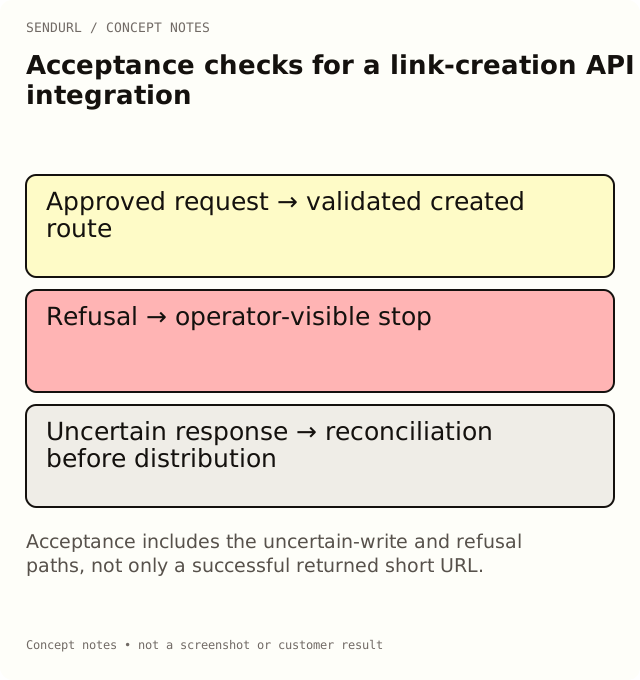
A script creates its first short link and prints a URL. The happy path works, but the integration is not ready if it later leaks a key into logs, retries an uncertain write carelessly or tells a scheduler that a rejected link was created. Acceptance needs examples of failure as well as success.
Define the integration’s boundary
For an illustrative newsletter scheduler, the script creates approved destinations in the intended organization and hands the returned short URL to the sending system. It does not send email through SendURL, infer purchases or gain private analytics from a destination it does not own.
Authorized organization and API-key scope:
Approved destination validation:
Successful create response validated before use:
Returned route followed to the promised page:
Duplicate/custom-slug refusal handled:
Quota and plan-upgrade refusals surfaced accurately:
Network failure or unreadable response treated as uncertain:
Retry/reconciliation strategy documented:
Pagination and CSV handling tested where used:
Keys, tokens and private destinations excluded from logs:
Named maintainer and revocation process:
Reconcile the uncertain response
Suppose a request times out after reaching the service. The absence of a readable response does not prove that no link was created. Decide how the integration will reconcile that uncertainty using supported reads and its own approved records. Do not invent an idempotency guarantee or blindly retry until the scheduler receives several different links.
Validate the returned fields before inserting the address into a message. If creation was rejected for a quota or paid feature, retain the refusal and stop that distribution step. A local candidate slug is not a created public route.
Exercise the relevant plan boundary
Creating links and using the REST API are available across plans, subject to the applicable limits and permissions. Editing an existing destination is Pro+. Deleted links retain their slug and still count toward quota. An integration that assumes deletion recycles capacity will fail at the wrong time.
Compare the inventory, history and paid features against the scheduler’s actual requirements. Every paid plan is self-serve through Paddle, but purchasing a plan does not create a native email or CRM integration that the code has not implemented.
Test with controlled fixtures
Use non-sensitive demonstration destinations and a dedicated approved test context. Inspect the destination reached, the error messages shown to the operator and the data retained in the integration’s own records. Keep API keys in the server-side secret-management process rather than a public web page or shared worksheet.
Create the intended SendURL account before issuing its integration key. The URL Shortener API in Python guide and SendURL REST API reference provide supported examples; adapt the acceptance checks to the documented contract instead of guessing endpoint behavior.
Frequently asked questions
Does a timeout prove that creation failed?
No. The write may have succeeded before the response became unavailable. Use a documented reconciliation strategy.
Can the integration put a key into a public tool form?
Keep privileged integration keys in the appropriate server-side secret process. Do not expose them in a public page or shared acceptance sheet.
Does the API create email campaigns or CRM conversions?
No native sending or conversion integration is implied. Your separate application owns those operations and their evidence.
Shorten links from your code.
The REST API is on every plan, Free included: create links and read their clicks with an API key.