A snu.to subdomain or your own short domain: which should you choose?
Choose a snu.to subdomain when the product-managed hostname fits your identity and ownership needs. Choose a custom hostname when controlling your own domain is worth the DNS, renewal and continuity responsibilities.
A team is about to print its first customer card. The ordinary short URL works, but the team wants a more recognizable hostname. Two supported choices can look similar on the card while creating different ownership and maintenance obligations: a subdomain of snu.to, or a hostname under a domain the organization controls.
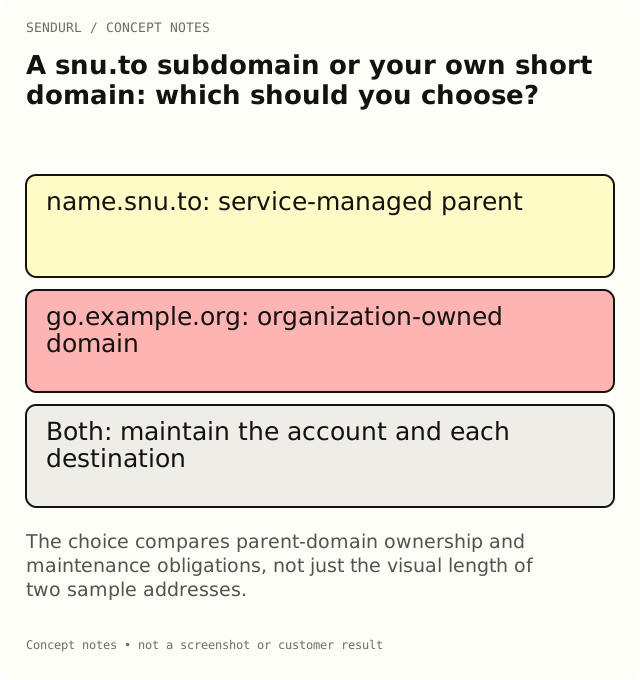
The decision is not simply which address looks shorter. Once a route is printed, its hostname is part of the public artifact. A link’s selected domain cannot be edited like its destination, so consider the people who will maintain that address after the launch owner changes roles.
The two hostname models
A snu.to subdomain uses the service’s parent domain, such as an approved name.snu.to label. A custom domain uses a hostname under a domain you control, such as go.example.org. The examples here are placeholders, not available-name claims or live customer routes.
Both can provide a recognizable short address. They differ in who controls the parent domain, who must manage DNS and what continuity evidence the organization needs. Neither choice establishes that a destination is trustworthy merely from the spelling of its hostname.
| Decision | snu.to subdomain | Custom short hostname |
|---|---|---|
| Parent-domain control | Service-managed snu.to parent | Your organization controls the relevant domain |
| Naming example | Approved label under snu.to | Chosen hostname such as go.example.org |
| DNS work by your team | No registrar/DNS setup for the snu.to parent | Authorized DNS administration and ownership verification |
| Ongoing obligation | Maintain the account and supported label | Maintain account, DNS access and domain renewal |
| Current availability | Confirm in the account | Confirm setup availability and verified active status |
| Changing an existing link’s hostname | Not a destination edit | Not a destination edit |
Allowances are separate from setup readiness
Free includes one snu.to subdomain and one custom domain. Those are separate allowances, not a rule that you must choose only one category forever. Paid plans have higher limits in both categories. Check current usage before planning several campaign brands or regional hostnames.
A limit tells you capacity. It does not establish that a particular name is available, that self-serve domain setup is enabled in the account, or that a pending custom hostname has completed verification and certificate checks. Use the current account surface or the stated support process for those observations.
Compare the plan cost for the required capacity
The table below summarizes SendURL’s plan catalogue in USD. It is a product comparison, not a domain-registration quote. Registration, renewal and any external DNS-provider costs are separate from the shortener’s plan price. Taxes or the checkout’s applicable terms must be reviewed at purchase.
| SendURL plan | Monthly price | Yearly price | snu.to subdomains | Custom domains |
|---|---|---|---|---|
| Free | $0 | $0 | 1 | 1 |
| Pro | $9 | $90 | 3 | 3 |
| Premium | $29 | $290 | 5 | 5 |
| Team | $49 | $490 | 10 | 10 |
| Enterprise | $99 | $990 | 25 | 25 |
Every paid tier is self-serve through Paddle. A subscription purchase does not mean that every associated service is self-serve: extra seats and support reply times are arranged by hand on request. Do not buy a tier on the assumption that it supplies an unimplemented domain-migration wizard or logo-upload editor.
Use the current pricing and feature comparison before committing to a long-lived hostname. If the team only needs one branded route and a short review period, a higher domain count alone may not be the reason to upgrade. Destination editing or a longer analytics history may be the actual requirement.
When a snu.to subdomain is a good fit
A service-managed subdomain can fit a small program that wants a named address without taking on its own domain registration and DNS process. The team still needs a sensible label, an accountable SendURL organization and an owner who will maintain the destination links.
For an illustrative community event, the service’s parent name may be an acceptable part of the public identity. The relevant question is whether the audience and organization are comfortable with that address, not whether a tutorial calls custom domains universally more professional. Test how the name reads on the actual card or invitation.
Do not promise that a desired label is available until the product confirms it. A short label can already be taken or restricted. Choose alternatives in advance so the campaign does not depend on an unverified naming assumption.
When a custom hostname is worth the work
A custom hostname can fit an organization with an established brand domain and a team responsible for DNS and renewal. It places the short address under that domain’s identity. That can make a long-lived support or packaging route easier for the organization to recognize and maintain.
The tradeoff is operational responsibility. Somebody must keep registrar access, DNS configuration and renewal ownership clear. A departure from the company or a documentation migration should not leave printed routes dependent on an abandoned personal account. Write those responsibilities into the handover before printing.
Custom naming also does not guarantee email or SMS delivery. A messaging provider can have requirements for the actual sending service and market. Use provider evidence rather than treating a branded hostname as a universal acceptance signal.
What custom setup needs to establish
The custom-hostname process separates routing, DNS ownership evidence and serving/certificate status. A CNAME alone does not prove that the intended organization should serve the hostname. Use the account’s product-provided instructions and verify the specific checks rather than copying a token from an example.
If the hostname already serves another application, resolve that service impact with the current owner before replacing its DNS record. A campaign’s preference for a memorable address is not authorization to break an existing site. Choose another supported hostname when the old use must continue.
Preserve the route after printing
For either hostname model, keep the short hostname and slug exactly as approved in the artwork. The link’s destination can be maintained on Pro+, but the link’s selected domain is immutable. Switching the short address to another hostname requires a new route and a distribution plan.
Consider a package that remains in circulation for two years. A new destination may be an appropriate support page after the original product page moves. That is a different change from replacing name.snu.to with go.example.org on the printed object. The old pixels still contain the old address.
Do not use deletion as a rename operation
Deleting a domain can stop the links attached to it, and re-adding the hostname does not automatically attach those links to the new record. Deleting a link also retains its slug and still counts toward link quota. Neither operation is a casual way to rename the organization’s public identity.
Before a removal, inventory the surviving posts, cards, documents and partner surfaces. Identify which route still serves a valid reader task and who is responsible for it. A domain that looks unused in this week’s campaign view may still be printed on an older customer product.
Run a small, observable acceptance test
After the selected hostname is available and ready, create an approved demonstration link on that exact host. Follow it from a representative browser or physical proof and verify the intended destination. A successful route on the default apex host does not verify a custom hostname or subdomain.
Record the hostname, path, destination, observation time and owner. If the public campaign uses QR artwork, decode the approved file and check a physical proof too. A DNS status and a code preview are useful evidence, but neither alone establishes the complete customer journey.
Choose around the organization you actually have
Use a snu.to subdomain when its identity fits and the team prefers the service-managed parent. Use a custom hostname when the organization values its own domain identity and can reliably maintain the surrounding ownership. Keep the default host when another naming layer would add work without solving a real reader or maintenance problem.
Create the intended organization’s SendURL account before preparing names or organization-specific verification records. The SendURL API reference documents the supported domain and link model. The custom-slug naming guide covers the path part of the address, which remains a separate naming decision.
Frequently asked questions
Does Free include a custom domain or only a snu.to subdomain?
Its allowance includes one of each. Check setup availability and current usage separately from those limits.
Can I later change an existing link from one hostname to the other?
The link’s selected domain is immutable. A different public hostname needs a different route and a distribution plan.
Does a custom hostname guarantee a trusted or deliverable message?
No. It can identify your chosen domain, but destination trust, account access and messaging-provider acceptance need their own evidence.
Are domain registration and renewal included in these plan prices?
Do not infer that from a domain allowance. Keep registrar and DNS-provider costs separate from the SendURL subscription.
Should I remove a domain and add it again to rename the route?
No. Removal can disrupt attached links, and re-adding does not automatically reconnect them. Review the lifecycle impact first.
Start tracking links free.
Create your first short link with click analytics in seconds. No credit card, no sign-up to start.